Title: Quick META Keywords
Author: QOT Studio
Published: 26. Dezember 2007
Last modified: 25. Oktober 2026
---
Search plugins
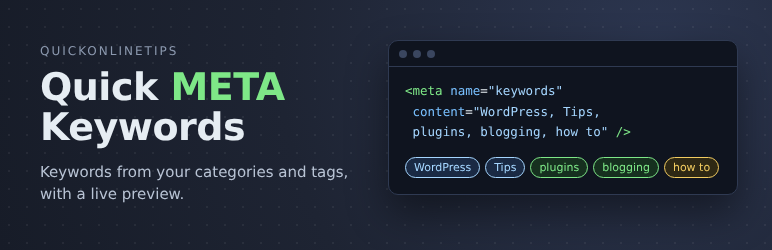

# Quick META Keywords
By [QOT Studio](https://profiles.wordpress.org/pchere/)
[Download](https://downloads.wordpress.org/plugin/quick-meta-keywords.2.0.zip)
* [Details](https://de-ch.wordpress.org/plugins/quick-meta-keywords/#description)
* [Reviews](https://de-ch.wordpress.org/plugins/quick-meta-keywords/#reviews)
* [Installation](https://de-ch.wordpress.org/plugins/quick-meta-keywords/#installation)
* [Development](https://de-ch.wordpress.org/plugins/quick-meta-keywords/#developers)
[Support](https://wordpress.org/support/plugin/quick-meta-keywords/)
## Description
Quick META Keywords adds a META keywords tag to the head of your posts, filled with
the post’s own topics. Activate it and every post, new and old, gets a tidy keywords
tag with nothing to type.
**Refreshed for 2026.** First released in 2007, Quick META Keywords 2.0 is rebuilt
with a settings page and a live preview. Choose categories, tags or both, add your
own extra keywords, and see the exact tag before you save. You decide what goes
in, far more than the original plugin ever allowed.
You choose what goes in:
* **Categories.** The post’s categories become keywords.
* **Tags.** The post’s tags become keywords.
* **Extra keywords.** Add a few words of your own, such as your site’s main topics,
to every post.
Go to Settings > Quick META Keywords to turn categories and tags on or off and add
extra keywords. A live preview shows the exact tag for any of your recent posts
as you make changes, before you save.
**What the tag looks like**
```
```
**Small touches**
* Repeated words appear only once, so a category and tag with the same name are
not listed twice.
* The catch-all «Uncategorized» category is left out.
* Posts with no categories, tags or extra keywords get no empty tag.
* Works next to Rank Math, Yoast SEO and other SEO plugins. It adds only the keywords
tag and leaves titles and descriptions to them.
**Light and simple**
* One small PHP file. Nothing is loaded on your visitors‘ pages except the one
META tag.
* No database tables, no tracking, no ads, no upsells.
* Delete the plugin and its settings are removed too.
Made by Quick Online Tips, tech help that works since 2004. See the [Quick META Keywords plugin page](https://www.quickonlinetips.com/archives/quick-meta-keywords-wordpress-plugin/)
for more.
**Where META keywords fit in 2026**
When this plugin first came out, the keywords tag was a standard part of SEO. Search
engines have moved on, and Google and Bing no longer use it for ranking, so think
of it as a tidy topic label for each post rather than a ranking tool.
It still earns its place:
* **Site search and other tools.** Some site search engines, intranet search tools
and content directories read the keywords tag as a list of the page’s topics.
* **A clear topic label.** Every post gets a short, accurate summary of its topics
in the page source, taken from the categories and tags you already chose.
* **Clean and honest by design.** Your real categories and tags keep the tag relevant,
with no stuffing.
Keep it short and true to each post, and it does its job quietly in the background.
For what helps your rankings today, see our [SEO guides](https://www.quickonlinetips.com/archives/category/search-engine-optimization/).
## Screenshots
[⌊The settings page: choose categories, tags and extra keywords, and see a live
preview of the tag for any recent post.⌉⌊The settings page: choose categories, tags
and extra keywords, and see a live preview of the tag for any recent post.⌉[
The settings page: choose categories, tags and extra keywords, and see a live preview
of the tag for any recent post.
[⌊The META keywords tag in a post's page source.⌉⌊The META keywords tag in a post's
page source.⌉[
The META keywords tag in a post’s page source.
## Installation
1. In your WordPress dashboard, go to Plugins > Add New and search for «Quick META
Keywords».
2. Click Install Now, then Activate.
3. That’s it. Your posts now have a META keywords tag made from their categories and
tags.
4. To choose what goes in or add extra keywords, go to Settings > Quick META Keywords.
To install by hand, upload the `quick-meta-keywords` folder to `/wp-content/plugins/`
and activate it on the Plugins screen.
## FAQ
### How do I check that it works?
Open any post on your site, right-click and choose View Page Source, then search
for `name="keywords"`. Or use the preview on the settings page, which shows the
same tag.
### Why only on posts, not pages or the home page?
Posts have categories and tags, which describe each one. Pages and the home page
do not, so they would only get the same extra keywords everywhere, which adds nothing
useful.
### Will META keywords improve my Google ranking?
No. Google and Bing do not use the keywords tag for ranking. See «Where META keywords
fit in 2026» above for what the tag is still good for.
### I use Rank Math, Yoast SEO or another SEO plugin. Is that OK?
Yes. They look after titles, descriptions and much more, and this plugin adds only
the keywords tag. If your SEO plugin also has a META keywords option switched on,
turn one of them off so your posts do not get two tags. The settings page reminds
you when a popular SEO plugin is active.
### Can I add keywords to just one post?
Add them as tags on that post. With Tags turned on, they appear in that post’s keywords.
### Can developers change the keywords or use it on other post types?
Yes. The `quick_meta_keywords` filter receives the list of keywords and the post.
The `quick_meta_keywords_post_types` filter sets where the tag is added (posts only
by default), for example:
```
add_filter( 'quick_meta_keywords_post_types', function () { return array( 'post', 'product' ); } );
```
### Where can I send feedback?
Please use the support forum on WordPress.org, or the plugin page above.
## Reviews
There are no reviews for this plugin.
## Contributors & Developers
“Quick META Keywords” is open source software. The following people have contributed
to this plugin.
Contributors
* [ QOT Studio ](https://profiles.wordpress.org/pchere/)
[Translate “Quick META Keywords” into your language.](https://translate.wordpress.org/projects/wp-plugins/quick-meta-keywords)
### Interested in development?
[Browse the code](https://plugins.trac.wordpress.org/browser/quick-meta-keywords/),
check out the [SVN repository](https://plugins.svn.wordpress.org/quick-meta-keywords/),
or subscribe to the [development log](https://plugins.trac.wordpress.org/log/quick-meta-keywords/)
by [RSS](https://plugins.trac.wordpress.org/log/quick-meta-keywords/?limit=100&mode=stop_on_copy&format=rss).
## Changelog
#### 2.0
* 2026 refresh of the plugin first released in 2007, with far more control over
the tag.
* New settings page under Settings > Quick META Keywords.
* Tags can now be used as keywords, as well as categories.
* Add your own extra keywords to every post.
* Live preview of the keywords tag for your recent posts.
* Repeated keywords are listed once, and «Uncategorized» is left out.
* No more trailing comma, and no empty tag on posts without keywords.
* Category and tag names are now safely escaped in the page head.
* Settings are removed when the plugin is deleted.
* New filters for developers: quick_meta_keywords and quick_meta_keywords_post_types.
* Updated for WordPress 7.1 and PHP 8.
* New banner, icon, screenshots and readme, with a note on how META keywords have
changed over the years.
#### 1.1
* Cleaned code.
#### 1.0
* First release.
## Meta
* Version **2.0**
* Last updated **2 Wochen ago**
* Active installations **100+**
* WordPress version ** 6.0 or higher **
* Tested up to **7.1.4**
* PHP version ** 7.4 or higher **
* Language
* [English (US)](https://wordpress.org/plugins/quick-meta-keywords/)
* Tags
* [categories](https://de-ch.wordpress.org/plugins/tags/categories/)[keywords](https://de-ch.wordpress.org/plugins/tags/keywords/)
[meta keywords](https://de-ch.wordpress.org/plugins/tags/meta-keywords/)[meta tags](https://de-ch.wordpress.org/plugins/tags/meta-tags/)
[tags](https://de-ch.wordpress.org/plugins/tags/tags/)
* [Advanced View](https://de-ch.wordpress.org/plugins/quick-meta-keywords/advanced/)
## Ratings
Es wurden noch keine Rezensionen eingereicht.
[Your review](https://wordpress.org/support/plugin/quick-meta-keywords/reviews/#new-post)
[See all reviews](https://wordpress.org/support/plugin/quick-meta-keywords/reviews/)
## Contributors
* [ QOT Studio ](https://profiles.wordpress.org/pchere/)
## Support
Got something to say? Need help?
[View support forum](https://wordpress.org/support/plugin/quick-meta-keywords/)