
Description
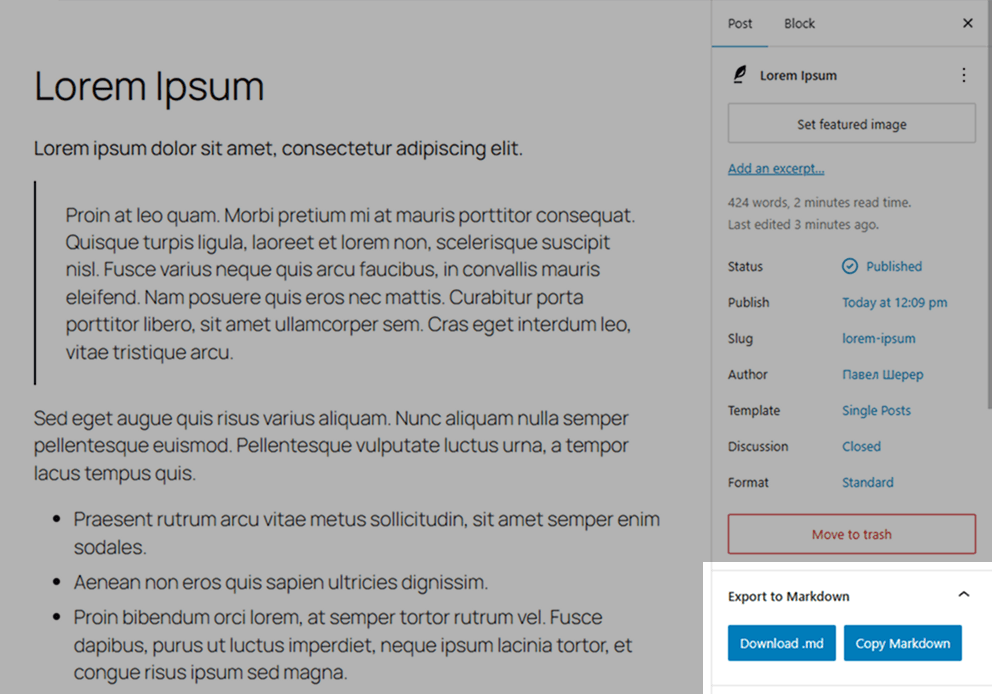
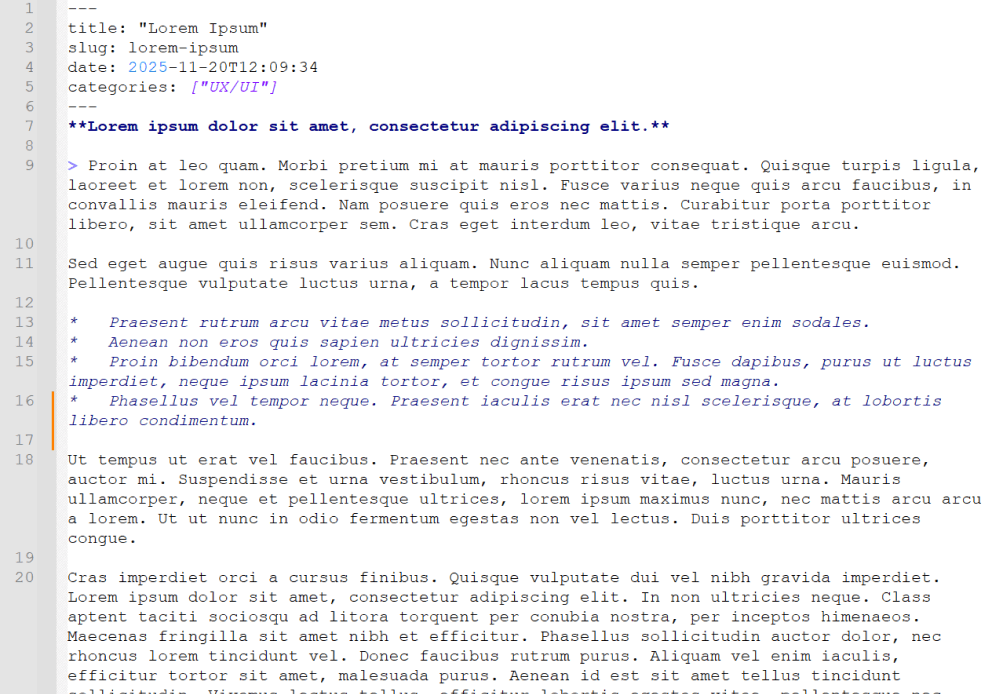
Simple Export to Markdown adds a small panel inside the WordPress block editor. With one click, editors can download the current post or page as a .md file or copy the generated Markdown to the clipboard.
The plugin uses the bundled Turndown library to convert serialized Gutenberg blocks in the browser. It does not create server-side export files, make external API calls, add REST/AJAX endpoints, or store exported content.
Features
- Export Gutenberg content directly to Markdown.
- Download
.mdfiles or copy Markdown to the clipboard. - Auto-generated YAML front matter for
title,slug,date,categories, andtags. - Uses the edited post state, including unsaved title, slug, date, category, tag, and block changes.
- Loads only in the block editor for users with
edit_posts. - PHP and JavaScript translations are loaded from the plugin language files.
Requirements
- WordPress 6.0 or newer.
- PHP 7.4 or newer.
- Active Gutenberg/block editor.
License
This plugin is open-source software licensed under the GPLv2 or later.
Screenshots
Installation
- Upload the plugin folder to
/wp-content/plugins/, or install it through the WordPress Plugins screen. - Activate the plugin through the «Plugins» menu in WordPress.
- Open any post or page in the block editor.
- Find the Export to Markdown panel in the editor sidebar.
- Click Download .md or Copy Markdown.
FAQ
-
Does this work in the Classic Editor?
-
No. The plugin is designed for the WordPress block editor.
-
Does it save files on the server?
-
No. Conversion, download, and clipboard copy happen locally in the browser.
-
Can it export custom blocks?
-
Custom blocks are serialized by WordPress before Turndown converts the resulting HTML to Markdown.
-
Why are the JavaScript translation files named with the script handle?
-
PHP translations use
simple-export-md-{locale}.mo. JavaScript translations use thesimple-export-md-{locale}-simple-export-md.jsonpattern so translations work for both the source and minified editor scripts. -
How should release builds be verified?
-
Run
npm ci,npm run build,npm test,npm audit --audit-level=low, andphp -l simple-export-md.php. The minified editor script should only be committed as the Terser output fromnpm run build.
Reviews


Contributors & Developers
“Simple Export to Markdown” is open source software. The following people have contributed to this plugin.
Contributors
“Simple Export to Markdown” has been translated into 2 locales. Thank you to the translators for their contributions.
Translate “Simple Export to Markdown” into your language.
Interested in development?
Browse the code, check out the SVN repository, or subscribe to the development log by RSS.
Changelog
0.1.3
- Hardened editor asset loading.
- Fixed JavaScript translation file names.
- Improved Markdown export reliability and filename sanitization.