
Description
Bibcit Any2HTML adds a powerful conversion panel to the WordPress post editor. Whether you’re working with Markdown text, technical diagram code, or document files (PDF/image), the plugin converts your content to clean HTML and inserts it straight into your post — no copy-pasting, no switching tools.
Key Features
Markdown to HTML
Paste any Markdown content into the editor panel and convert it to HTML in one click. Works with headings, lists, tables, code blocks, and all standard Markdown syntax.
Diagram Code to HTML
Convert diagram source code to rendered HTML diagrams directly inside the post editor. Supports a wide range of diagram languages across four categories:
- UML & Software Architecture — PlantUML, C4 PlantUML, Mermaid, Nomnoml, DBML, Structurizr, UMLet
- Graphs & Networks — Graphviz, D2, ERD, SMILES
- Block & Flow Diagrams — BlockDiag, ActDiag, NwDiag, PacketDiag, RackDiag, SeqDiag, BPMN, Ditaa, Pikchr
- Technical & Specialized — WaveDrom, Bytefield, SVGBob, TikZ, Symbolator, WireViz
- Data & Mind Visualization – Vega, Vega-Lite, Excalidraw, Markmap
- Vector Graphics- SVG
Select your diagram type from the dropdown, paste your code, and click Convert to HTML.
File Upload (PDF & Images)
Upload a PDF or image file (JPG, PNG — up to 5 MB) and the plugin will extract the content and convert it to HTML automatically.
Editor Compatibility
Works seamlessly with the Classic Editor, Gutenberg (block editor), and TinyMCE. Converted HTML is inserted at the cursor position.
API Key Management
Enter your Bibcit API key in the settings page and validate it with a single click. The conversion panel only appears once a valid key is confirmed. If a key becomes unauthorized during use, the plugin flags it immediately with a direct link to re-validate.
The full source code is publicly available on GitHub.
Requirements
- A Bibcit account and API key — sign up at bibcit.com.
- An active internet connection (required for API communication).
Third-Party Service
This plugin connects to the Bibcit API (api.bibcit.com), an external service operated by Bibcit.
Data transmitted: Your Markdown text, diagram code, or uploaded file (PDF/image) is sent to the Bibcit API solely for conversion. Your API key is included as a request header (Bibcit-Key) for authentication.
When it is sent: Only when you click «Convert to HTML», and only when the plugin is active with a valid API key.
Privacy: Content is processed in real-time and is not stored, logged, or retained — ensuring full privacy of your post content.
APIs used by this plugin:
- MassiveMark — Markdown/text to HTML: https://github.com/bibcit/MassiveMark
- MassiveMark Diagram — Diagram code to HTML: https://www.bibcit.com/en/mdiag
- MassivePix — PDF/image to HTML: https://github.com/bibcit/MassivePix
Please review Bibcit’s policies before use:
Screenshots
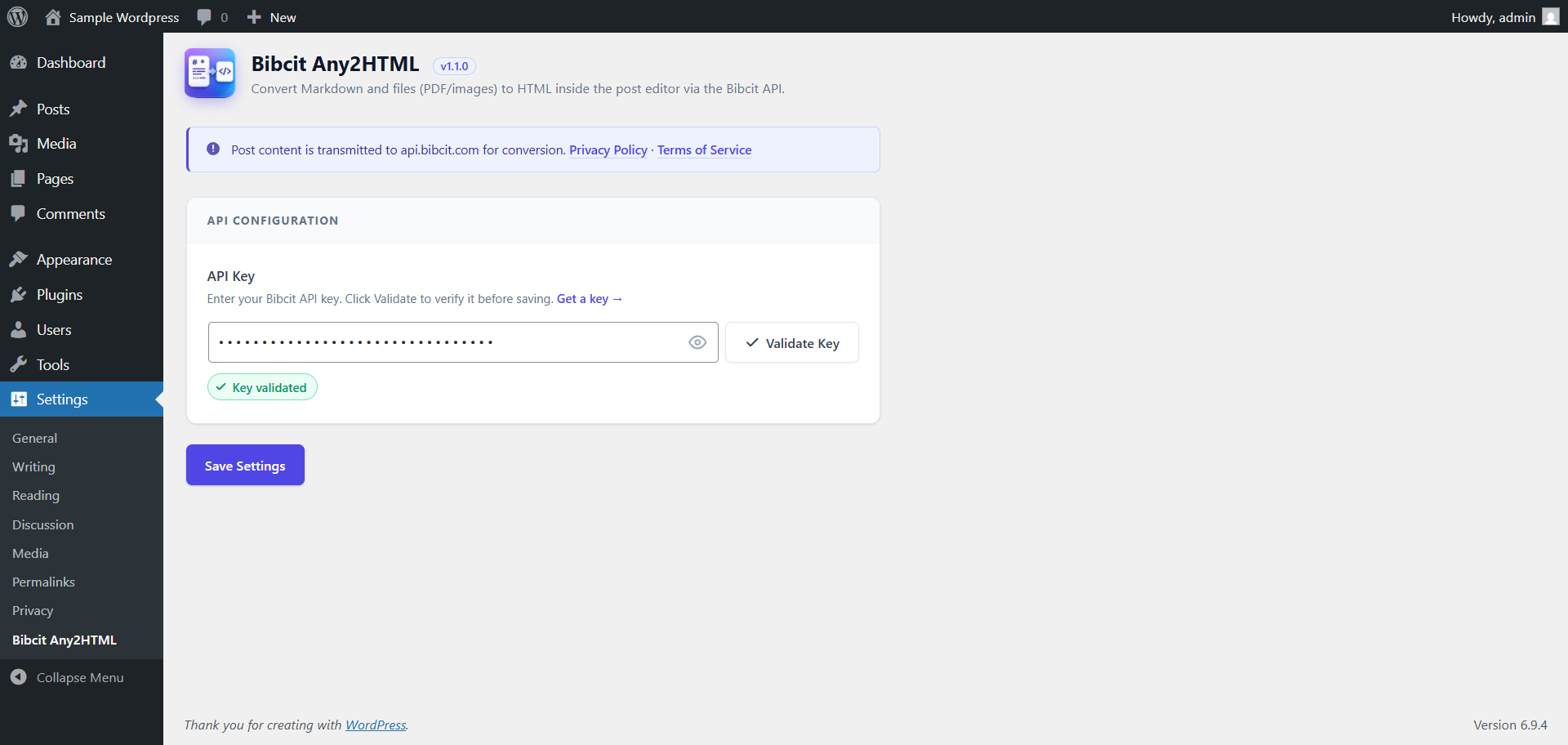
Settings page — API key validation. 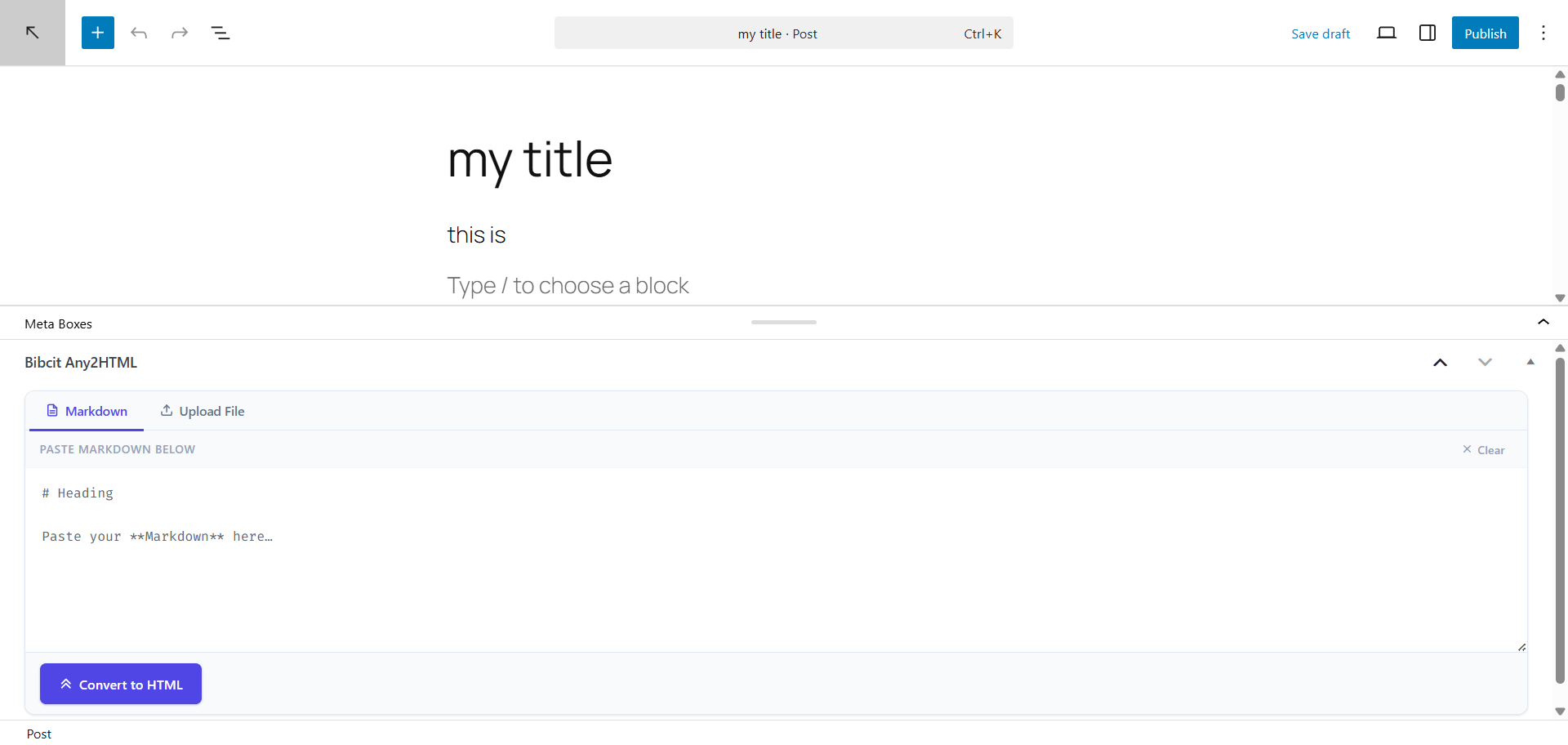
Post editor — Markdown tab with Convert to HTML button. 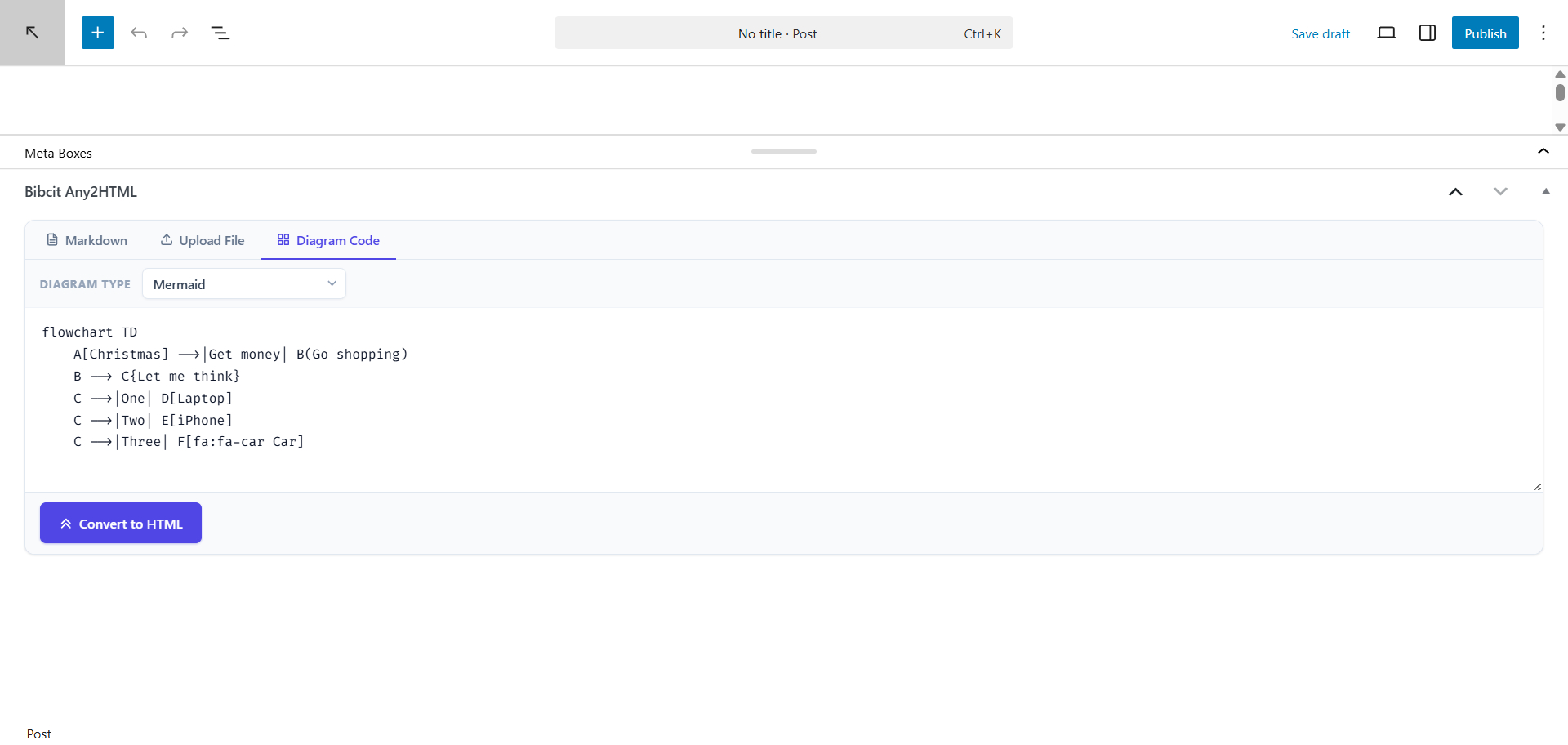
Post editor — Diagram Code tab with type selector and code input. 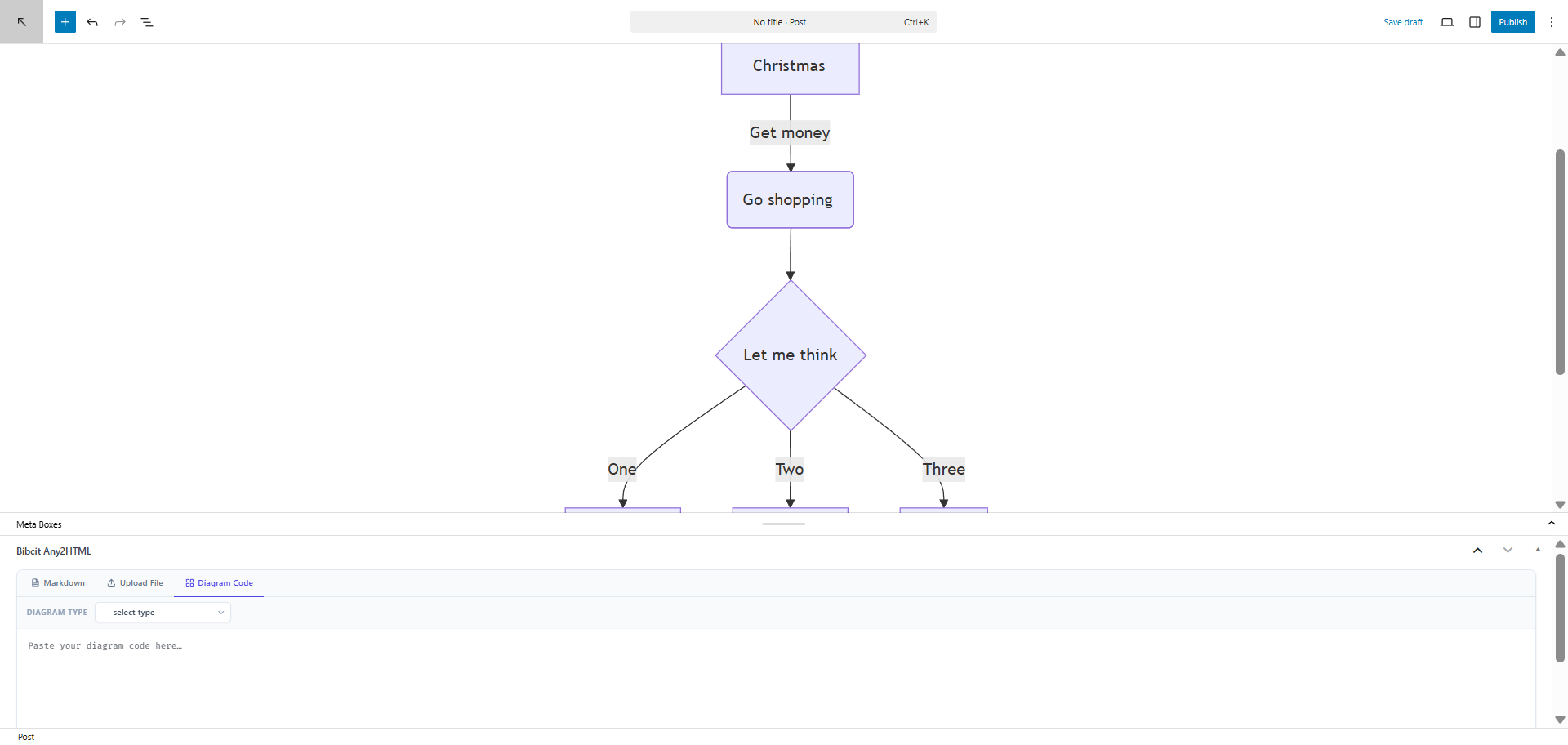
Post editor — Generated svg inserted into post content. 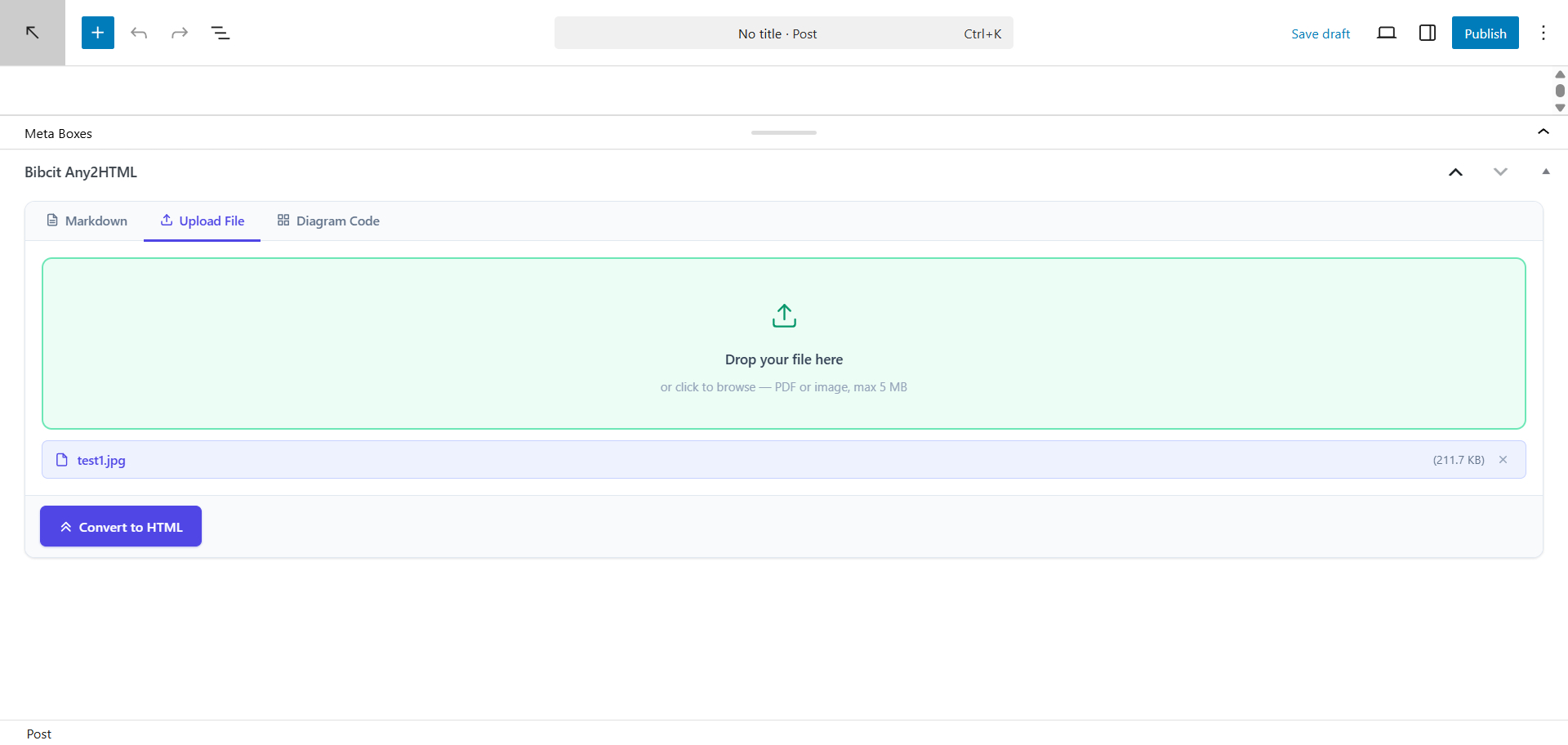
Post editor — File upload tab (PDF/image) with drag-and-drop support.
Installation
From within WordPress
- Visit Plugins > Add New.
- Search for Bibcit Any2HTML.
- Install and activate the plugin.
Manual Installation
- Upload the bibcit-any2html folder to the /wp-content/plugins/ directory.
- Visit Plugins and activate Bibcit Any2HTML.
Getting Started
- Go to Settings > Bibcit Any2HTML.
- Enter your Bibcit API key and click Validate Key.
- Once validated, click Save Settings.
- Open any post or page — the Bibcit Any2HTML meta box will appear below the editor.
- Choose a tab (Markdown, Diagram Code, or Upload File), enter your content, and click Convert to HTML.
FAQ
-
Where do I get an API key?
-
Sign up at bibcit.com to obtain your free API key.
-
Which diagram types are supported?
-
The plugin supports 27 diagram languages across four groups: UML & Software Architecture (PlantUML, C4 PlantUML, Mermaid, Nomnoml, DBML, Structurizr, UMLet), Graphs & Networks (Graphviz, D2, ERD, SMILES), Block & Flow Diagrams (BlockDiag, ActDiag, NwDiag, PacketDiag, RackDiag, SeqDiag, BPMN, Ditaa, Pikchr), and Technical & Specialized (WaveDrom, Bytefield, SVGBob, TikZ, Symbolator, WireViz).
-
What file types can I upload?
-
PDF files and images (JPG, PNG) up to 5 MB are supported for file conversion.
-
Is my content stored by Bibcit?
-
No. Content is processed in real-time and is not stored or retained by Bibcit. See the Privacy Policy for full details.
-
The meta box does not appear in the editor.
-
Make sure your API key status shows «Valid» in Settings > Bibcit Any2HTML. The meta box is only shown when a valid key is confirmed.
-
What happens if my API key expires or becomes invalid?
-
The plugin detects unauthorized API responses automatically and displays an error with a direct link to the settings page so you can re-validate or update your key.
-
Does the plugin work without an internet connection?
-
No. An active internet connection is required to communicate with the Bibcit API.
-
Which editors are supported?
-
The plugin works with the WordPress block editor (Gutenberg), the Classic Editor, and TinyMCE. HTML is inserted at the current cursor position in all three.
Reviews
There are no reviews for this plugin.
Contributors & Developers
“Bibcit Any2HTML” is open source software. The following people have contributed to this plugin.
Contributors

Translate “Bibcit Any2HTML” into your language.
Interested in development?
Browse the code, check out the SVN repository, or subscribe to the development log by RSS.
Changelog
1.2.0
- Added Diagram Code tab supporting 27 diagram languages (PlantUML, Mermaid, Graphviz, and more).
- Diagram conversion uses a dedicated API endpoint (api.bibcit.com/api/mdiag/code2Svg).
- Fixed convert button being non-functional due to a dead-code early return.
- Fixed settings page script not loading due to mismatched page slug.
1.1.0
- Added file upload support (PDF/image) for HTML conversion.
- Minor fixes and performance improvements.
1.0.0
- Initial release.