
Description
Link Wizard for WooCommerce is a checkout link generator and add-to-cart URL builder for store owners, marketers, and agencies. Turn WooCommerce products into shareable calls to action without manually constructing query strings or asking customers to search for the product again.
Facebook checkout links for WooCommerce
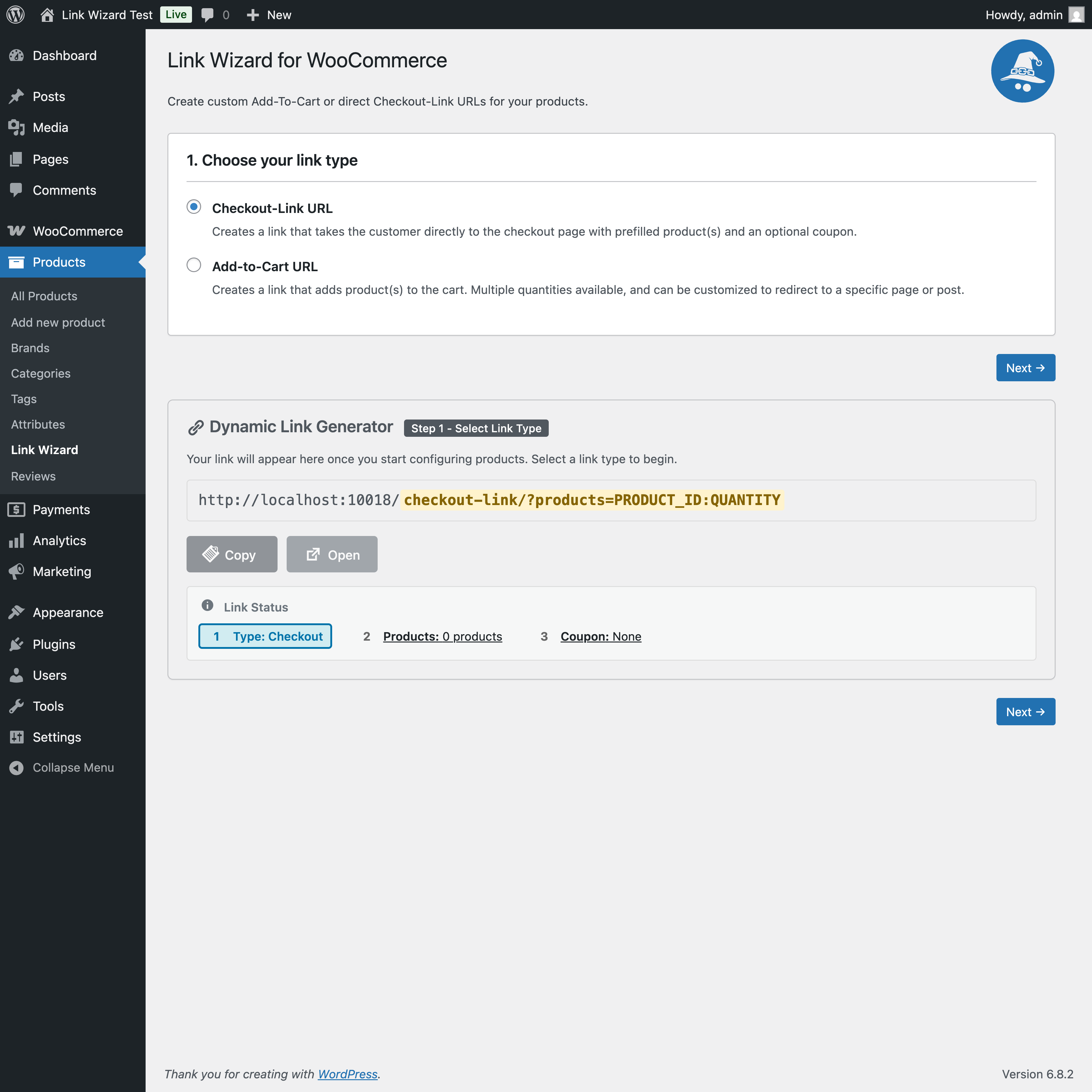
Build Facebook checkout links that send shoppers from a Facebook post, ad, group, Page, Messenger conversation, or campaign button to a prefilled checkout on your WooCommerce store. Select the products and quantities in WordPress, copy the generated URL, and use it as the destination for your Facebook call to action.
The customer completes payment through your own WooCommerce checkout. Link Wizard does not replace Meta catalog tools or provide native checkout inside Facebook.
Instagram shopping and checkout links
Create WooCommerce destination links for Instagram bios, Stories, ads, direct messages, and shopping campaigns. A direct checkout link reduces the number of steps between discovering a product on Instagram and reaching the store checkout.
Add-to-cart links for email marketing
Create email add-to-cart links that place selected WooCommerce products and quantities into the recipient’s cart. Use the URL behind a Buy Now, Shop Now, Add to Cart, Complete Your Order, or limited-time offer button in:
- Marketing emails and newsletters.
- Abandoned-cart and follow-up sequences.
- Product launches and customer announcements.
- CRM campaigns and one-to-one sales emails.
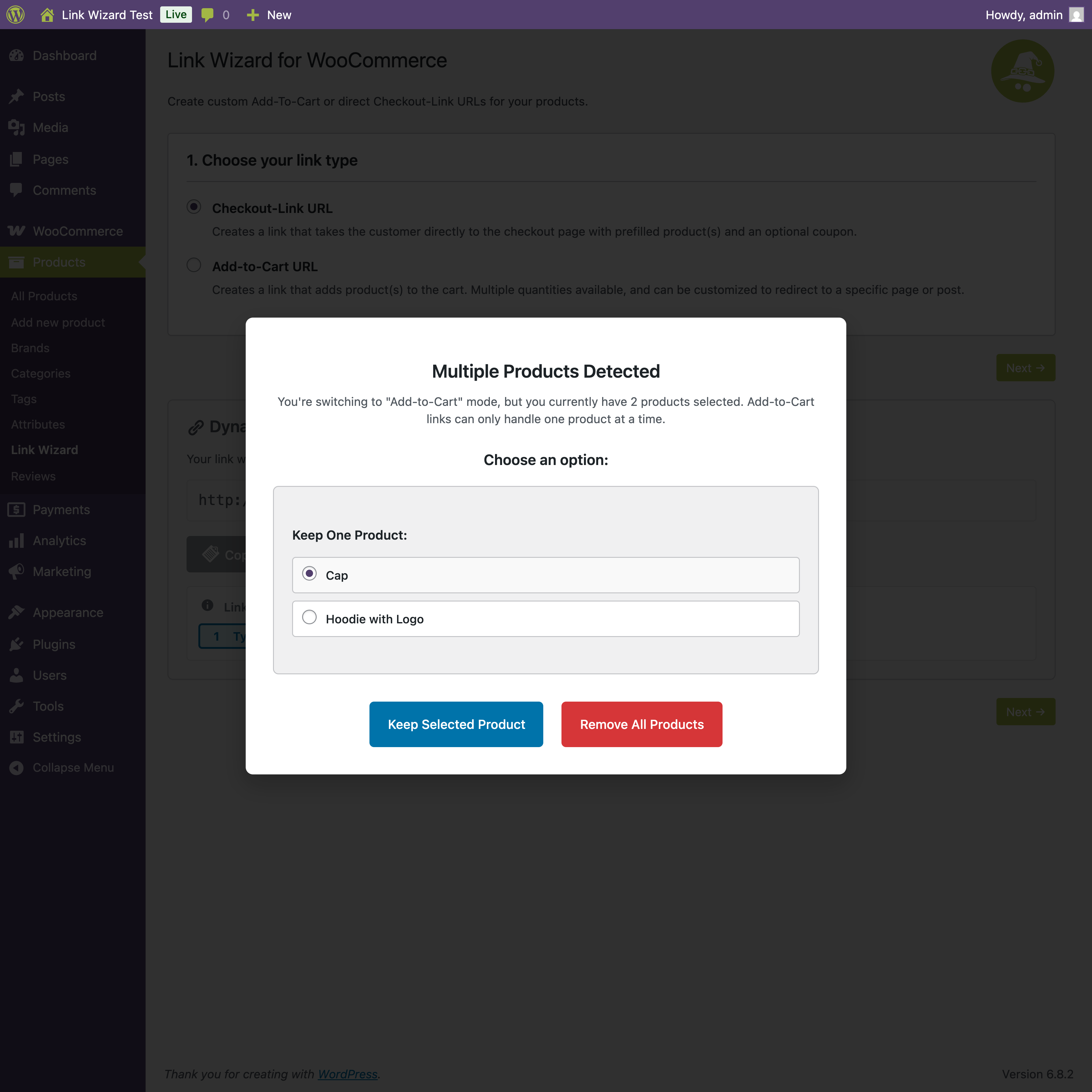
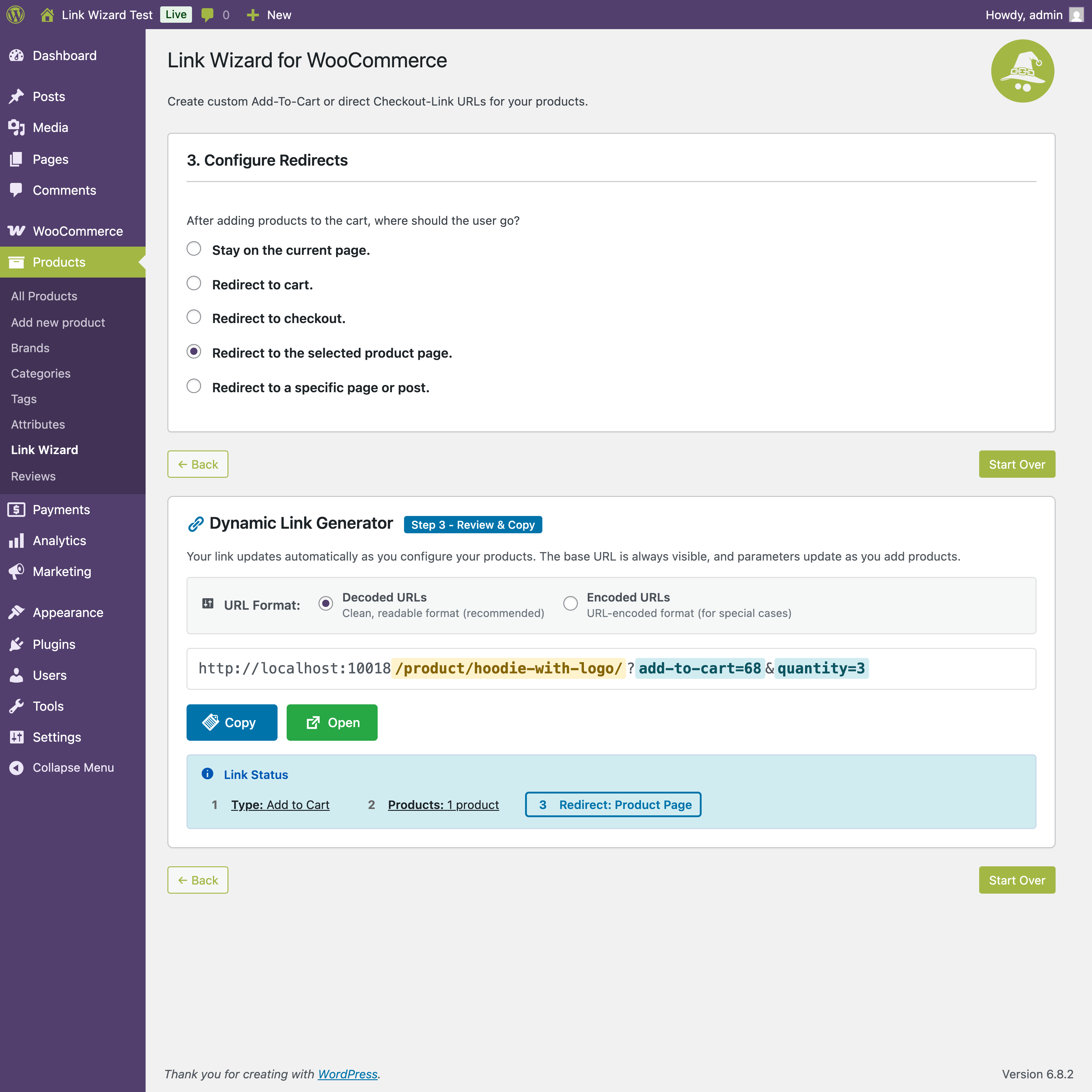
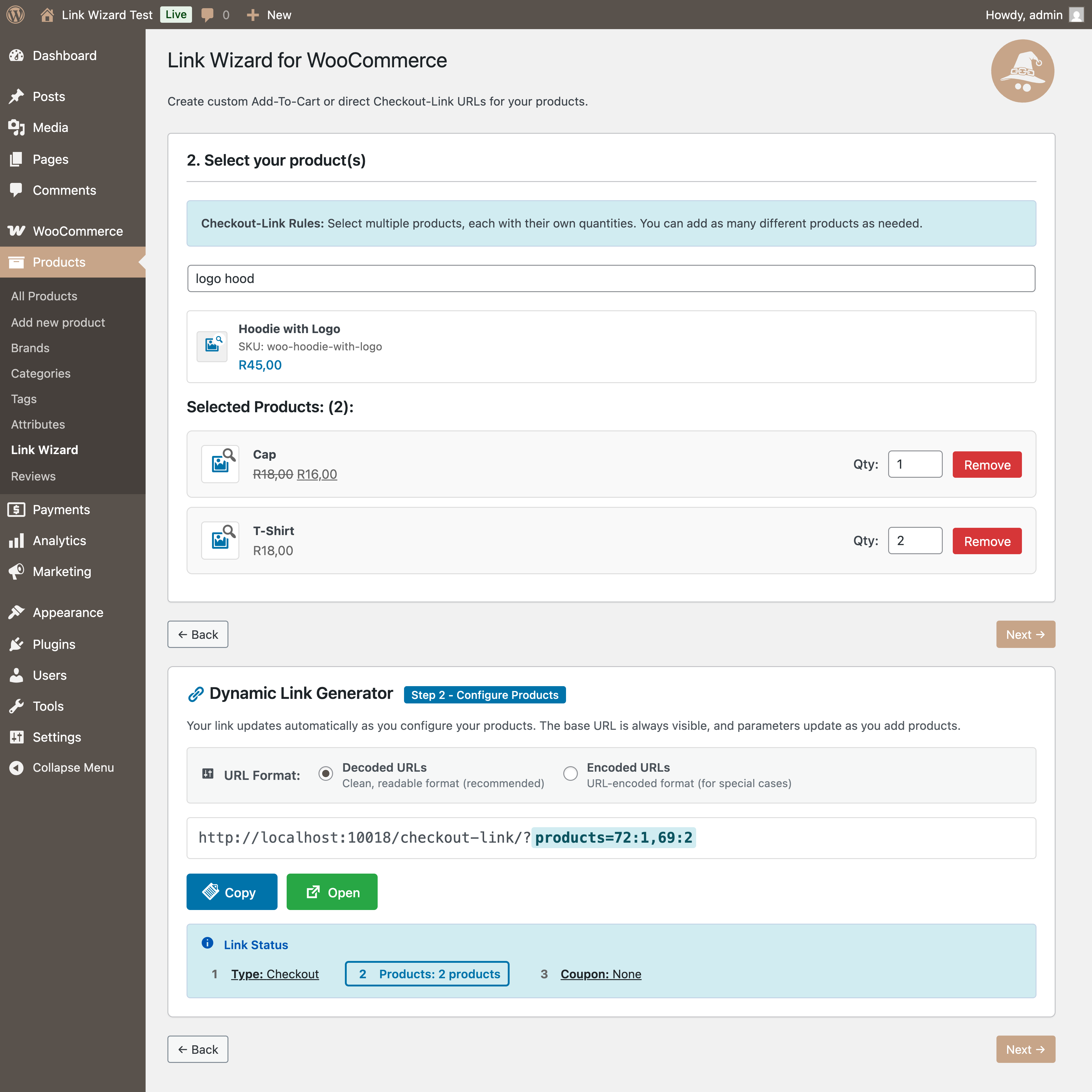
Add-to-cart links can include product variations, grouped products, multiple quantities, and an optional redirect destination.
Checkout links with coupon codes
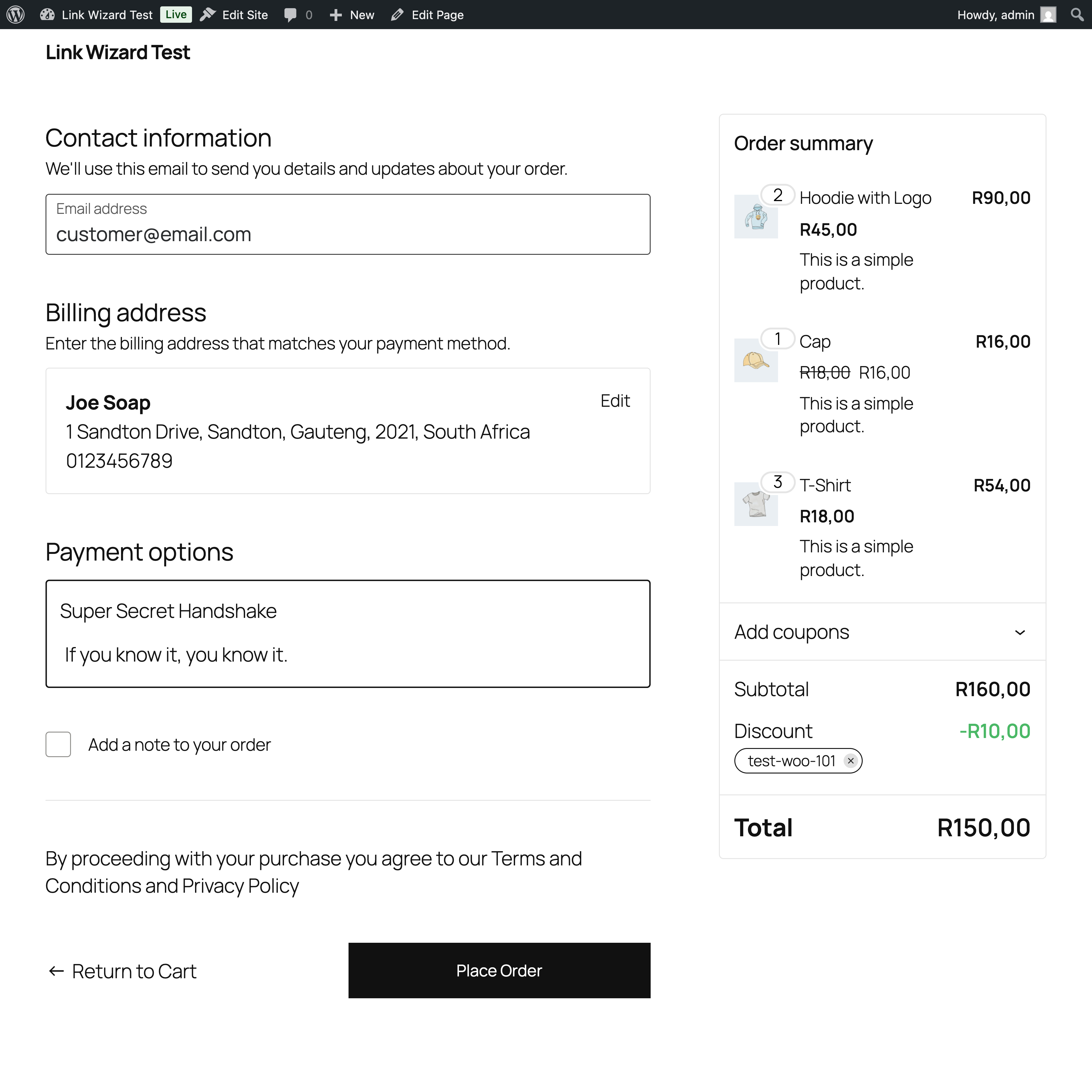
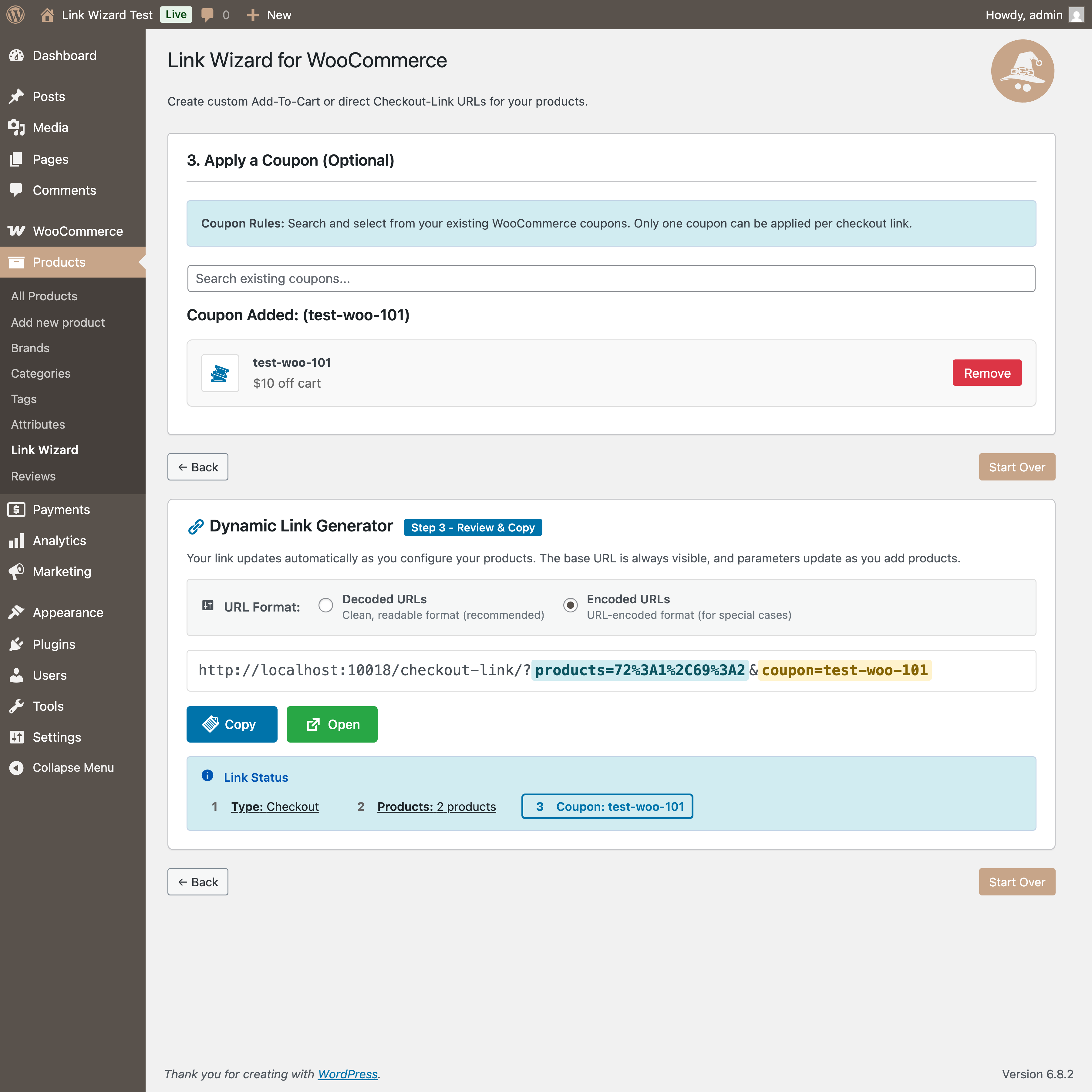
Generate direct WooCommerce checkout links with products and quantities already selected. You can also include a valid WooCommerce coupon code in the custom checkout URL. This makes it easy to create campaign-specific links for discounts, customer rewards, flash sales, email offers, and social promotions.
Customers follow one call to action and arrive at checkout with the supported product configuration ready and the selected coupon available to apply.
More ways to share WooCommerce product links
Link Wizard URLs can also be used in landing pages, SMS messages, QR codes, support conversations, affiliate resources, digital documents, and other places where a direct product call to action is useful.
Supported WooCommerce products
Link Wizard supports simple, variable, grouped, and eligible subscription products. Public add-ons provide integration with WooCommerce Product Bundles and WooCommerce Composite Products:
- Link Wizard for Bundles: https://github.com/sverleis/link-wizard-bundles/releases
- Link Wizard for Composites: https://github.com/sverleis/link-wizard-composite/releases
Link Wizard generates campaign destination URLs for your WooCommerce store. It does not connect to, synchronize with, or claim an official integration with Facebook, Instagram, or Meta.
Screenshots
Installation
- Upload the plugin files to the
/wp-content/plugins/link-wizard-for-woocommercedirectory, or install the plugin through the WordPress plugins screen directly. - Activate the plugin through the ‚Plugins‘ screen in WordPress.
- Go to WP Admin > Products > Link Wizard to generate your link(s).
FAQ
-
How do I create a Facebook checkout link for WooCommerce?
-
Choose Checkout-Link in Link Wizard, select the WooCommerce products and quantities, optionally select a coupon, and copy the generated URL. Use that URL as the destination for a Facebook post, ad, Page button, group post, or Messenger call to action. The shopper is sent to the checkout on your WooCommerce store.
-
Can I use the same links on Instagram?
-
Yes. Use generated WooCommerce links in Instagram bios, Stories, ads, direct messages, and shopping campaigns. Link Wizard does not provide catalog synchronization or an official Meta platform integration.
-
Yes. Generate an add-to-cart link with the required products and quantities, then use the URL behind a call-to-action button in an email, newsletter, CRM campaign, or automated sequence.
-
Can a checkout link contain a WooCommerce coupon?
-
Yes. Select a valid WooCommerce coupon while creating the checkout link. Link Wizard includes the coupon code in the custom URL so the campaign can carry its promotional offer through to checkout.
-
Do customers need to configure the products again?
-
No. The generated URL carries the supported product selections and quantities. Checkout links take the customer directly to checkout, while add-to-cart links add the configured items to the cart first.
Reviews
There are no reviews for this plugin.
Contributors & Developers
“Link Wizard for WooCommerce” is open source software. The following people have contributed to this plugin.
Contributors
Translate “Link Wizard for WooCommerce” into your language.
Interested in development?
Browse the code, check out the SVN repository, or subscribe to the development log by RSS.
Changelog
2.0.0
- Add an extensible product-handler architecture and grouped-product support.
- Add Link Wizard add-on API 2.0 and compatibility reporting.
- Add official Product Bundles and Composite Products integration discovery and distribution links.
- Improve add-on activation, missing-integration notices, and WordPress admin styling.
- Expand Facebook, Instagram, email marketing, add-to-cart, checkout-link, and coupon documentation.
- Improve validation, accessibility, responsive status controls, and mobile layout.
- Confirm compatibility with WordPress 7.1 and WooCommerce 11.0.1.
2.0.0-beta2
- Add the Link Wizard add-on API 2.0 compatibility contract.
- Add official GitHub distribution links for Product Bundles and Composite Products integrations.
- Report incompatible installed add-ons and preserve native activation links.
- Add automated, versioned GitHub release packages.
- Expand Facebook, Instagram, email marketing, add-to-cart, checkout-link, and coupon documentation.
- Fix the Dynamic Link step badge layout on mobile screens.
- Confirm compatibility with WordPress 7.1 and WooCommerce 11.0.1.
2.0.0-beta1
- Introduce an extensible product-handler and add-on architecture.
- Add grouped-product support and validation improvements.
- Add discovery and activation states for Product Bundles and Composite Products integrations.
- Add independent missing-integration notices for supported WooCommerce extensions.
- Refresh the Link Wizard admin interface with WordPress admin color-scheme support.
- Improve link-status controls, responsive behavior, and accessibility.
- Prepare coordinated integrations with Link Wizard for Bundles 1.0.0-beta1 and Link Wizard for Composites 1.0.0-beta1.
1.0.3
- Enhanced UX with streamlined variation error display
- Added modal for invalid variations with scrollable content
- Fixed «Edit Product» links to open correct WordPress admin pages
- Moved all inline styles to external CSS classes
- Implemented CSS variables for consistent theming
- Added URL encoding options (Decoded/Encoded) with real-time display
- Improved layout with inline URL encoding options on desktop
- Enhanced error handling and user feedback
- Updated WordPress Coding Standards compliance
- Improved code documentation and comment consistency
- Standardized all code comments with proper punctuation
- Extracted inline styles from React components to CSS classes
- Improved maintainability and theme consistency
1.0.2.3
- Refactored inline styles to CSS classes for better maintainability
- Moved all ProductSelect component styling from inline styles to CSS file
- Replaced hard-coded colors with CSS custom properties (variables)
- Improved theme consistency and support for WordPress admin color schemes
- Enhanced code organization and separation of concerns
- Better performance by reducing inline style calculations
- Future-proof styling that adapts to WordPress theme changes
1.0.2.2
- Enhanced variation error handling and UX improvements
- Streamlined invalid variation display – removed redundancy from main list
- Added grouped «View Invalid Variations» button for better organization
- Improved error messages with specific guidance for variation configuration issues
- Fixed «Edit Product» button to open correct WordPress admin URL in new tab
- Added scrollable modal for viewing multiple invalid variations
- Better user experience for handling variable products with «Any» attributes
1.0.2.1
- Incremental update for continued development
- Improved .gitignore configuration
- Ready for WordPress.org submission
1.0.2
- WordPress.org compliant version
- Fixed all plugin review issues
- Updated class/function names to use unique lwwc_ prefix
- Removed WordPress.org directory assets
- Updated JavaScript variable names to prevent conflicts
1.0.0
- Initial release.