

Description
MailerPress ist ein kostenloses E-Mail-Marketing- und Newsletter-Plugin für WordPress. Erstellen Sie professionelle E-Mail-Kampagnen mit einem Drag-and-Drop-Editor, verwalten Sie eine unbegrenzte Anzahl von Abonnenten und Listen, planen Sie Newsletters und versenden Sie automatisierte E-Mails – alles direkt über Ihr WordPress-Dashboard.
Egal, ob Sie ein Blogger sind, der einen wöchentlichen Newsletter verschickt, ein Online-Shop-Betreiber, der WooCommerce-E-Mails individuell anpassen möchte (kostenpflichtige Version erforderlich), oder ein Marketingexperte, der gross angelegte E-Mail-Kampagnen durchführt – MailerPress bietet Ihnen alles, was Sie brauchen – ohne Begrenzung der Abonnentenzahl und ohne Versandbeschränkungen.
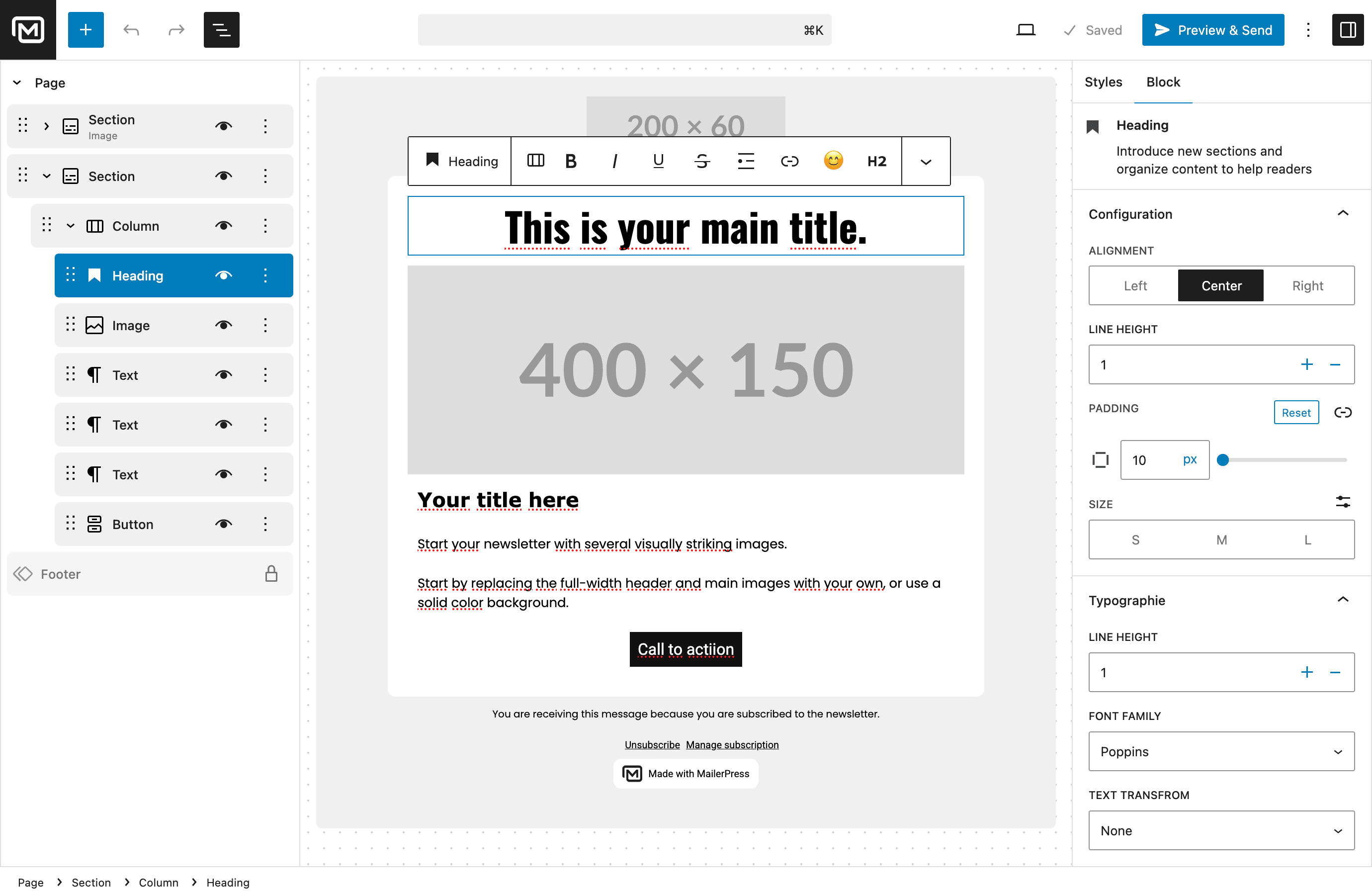
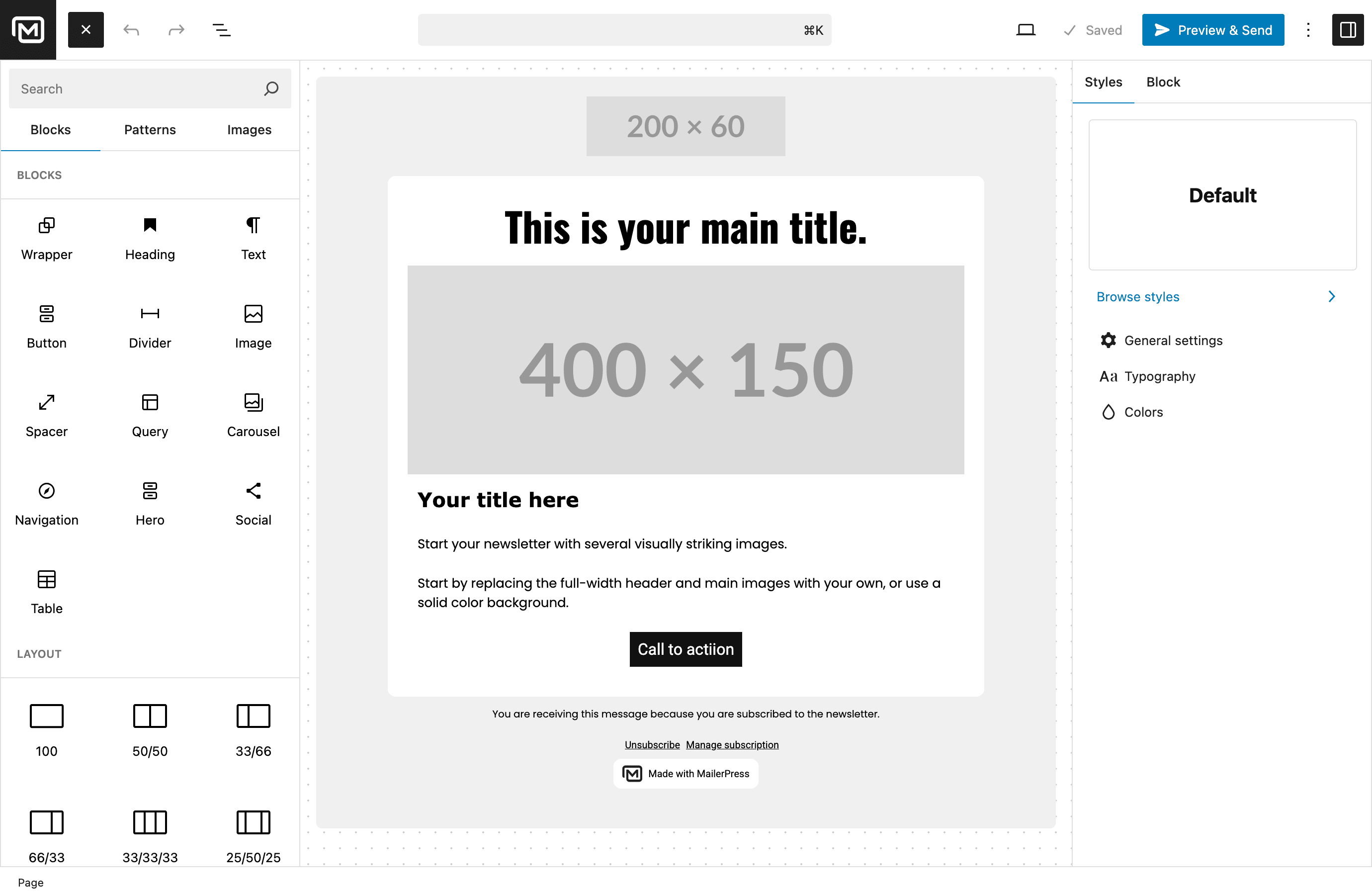
E-Mail-Editor mit Drag-and-Drop-Funktion
Erstellen Sie wunderschöne E-Mail-Newsletter, ohne auch nur eine einzige Zeile Code schreiben zu müssen. Der E-Mail-Editor von MailerPress ist vom WordPress-Block-Editor (Gutenberg) inspiriert, sodass er Ihnen sofort vertraut vorkommt:
- Platzieren Sie Blöcke per Drag-and-Drop, um Ihr E-Mail-Layout zu erstellen
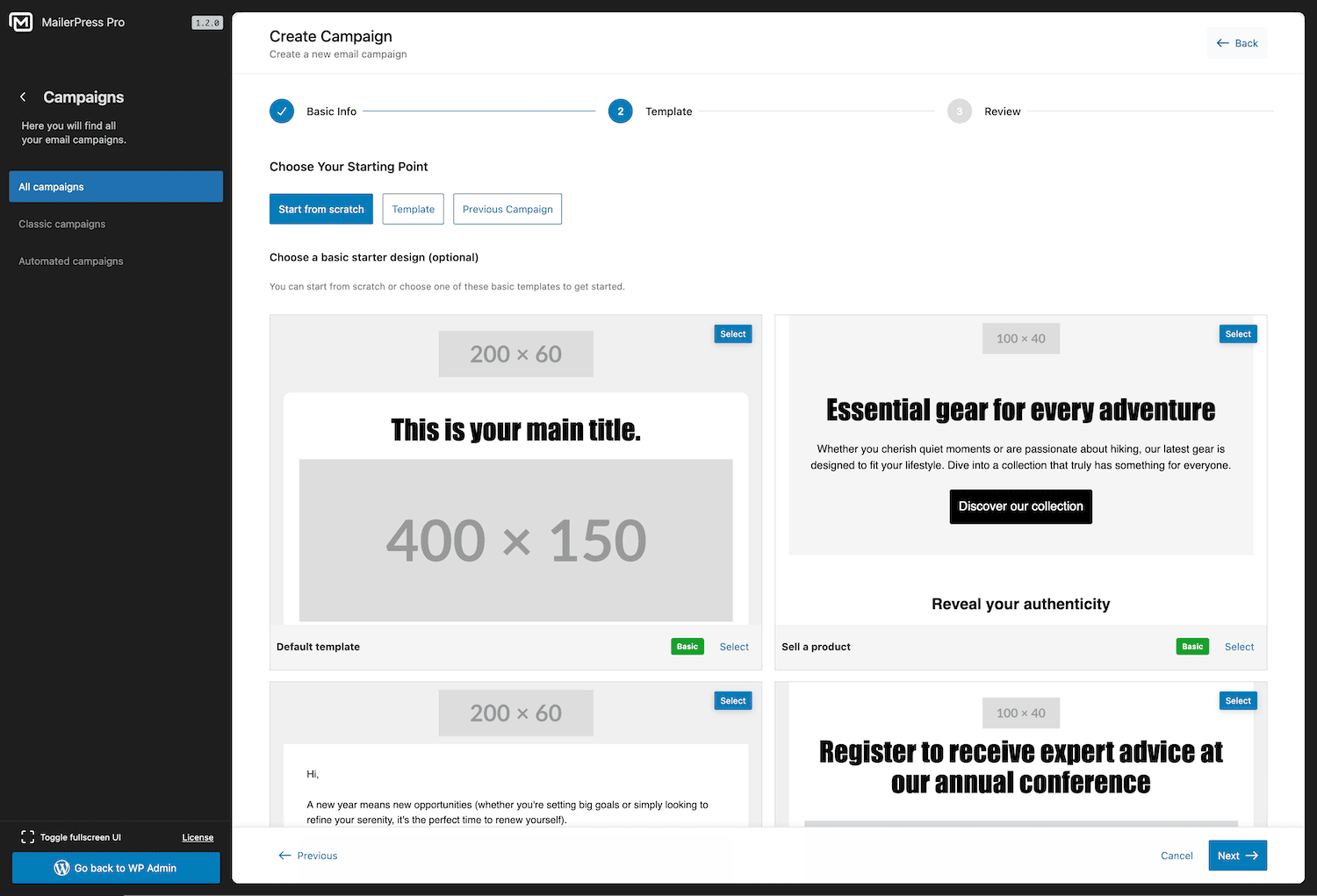
- Vorgefertigte E-Mail-Vorlagen, mit denen Sie in Sekundenschnelle loslegen können
- Speichern Sie Ihre eigenen Layouts, um sie später erneut zu verwenden
- Volle Unterstützung von theme.json für ein einheitliches Branding mit Full Site Editing
- Integration von Google Fonts mit lokalem Hosting für schnelles Laden
- Import von MJML-Vorlagen für anspruchsvolle E-Mail-Designs
- Responsive E-Mails, die auf jedem Gerät perfekt aussehen
Abonnentenverwaltung und Aufbau von Abonnentenlisten
Erweitern Sie Ihre E-Mail-Liste mit leistungsstarken Werkzeugen für die Abonnentenverwaltung – völlig kostenlos:
- Unbegrenzte Anzahl an Abonnenten, Listen und Schlagwörtern – keine Einschränkungen
- Anpassbare Anmeldeformulare mit Shortcode – funktionieren mit jedem Page Builder (Elementor, Bricks, Divi und weitere)
- Gutenberg-Block für das Opt-in-Formular im Block-Editor
- In externe Websites einbettbare Opt-in-Formulare
- Double-Opt-in mit anpassbaren Bestätigungs-E-Mails
- CSV-Import und -Export für eine einfache Abonnentenmigration
- Erweiterte Abonnenten-Segmentierung
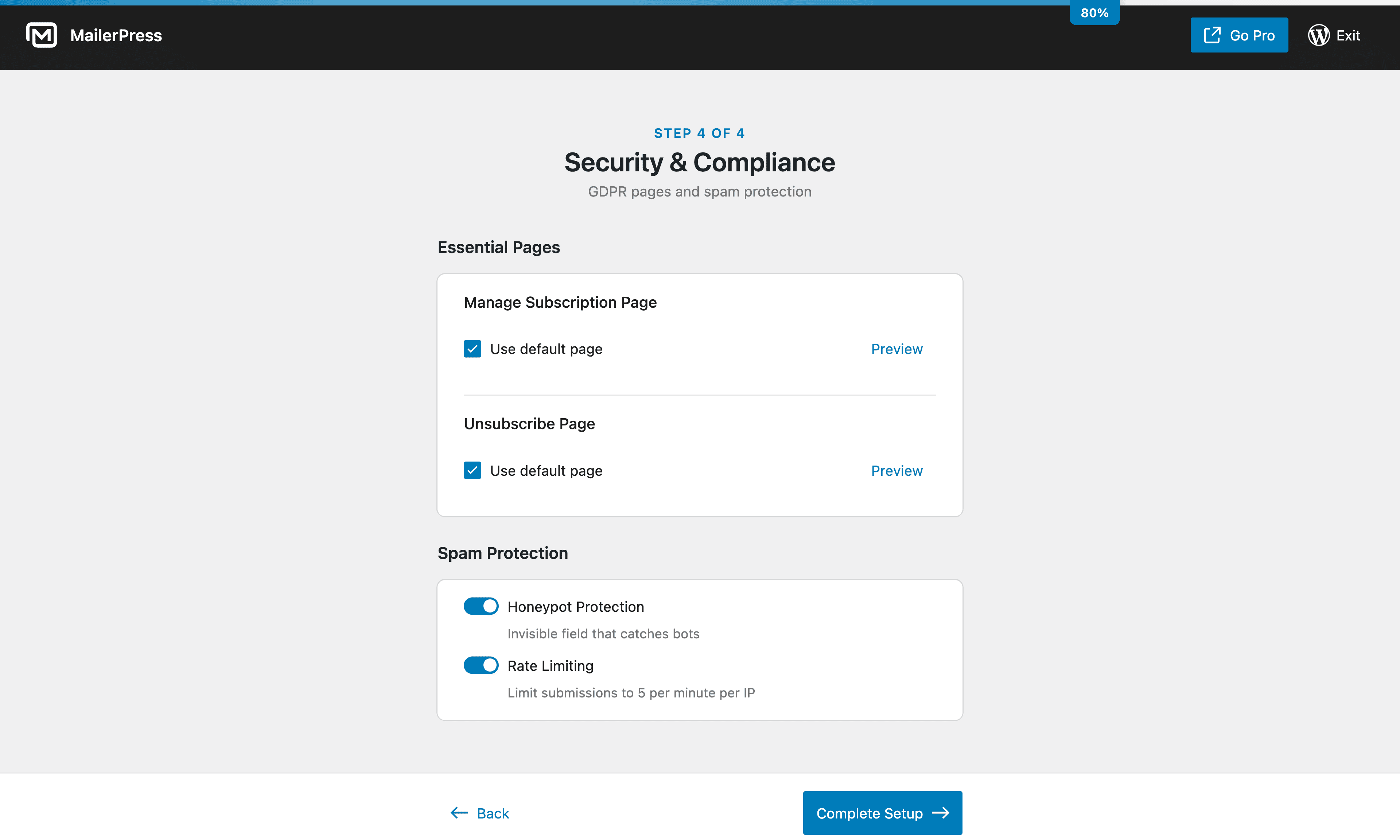
- DSGVO-konformes Abonnenten-Management mit integrierter Abmeldefunktion
E-Mail-Kampagnen und Newsletter-Planung
Versenden Sie Newsletters und E-Mail-Kampagnen nach Ihrem Zeitplan:
- Erstellen Sie E-Mail-Kampagnen und versenden Sie sie an Ihre Abonnentenlisten
- Newsletter für den späteren Versand planen
- Merge-Tags für personalisierte E-Mail-Inhalte (Name des Abonnenten, individuelle Felder und mehr)
- Inhalte aus Beiträgen und Seiten abrufen
- Flexible Nachverfolgung von Klicks und Öffnungen (nachverfolgen, anonymisieren oder deaktivieren)
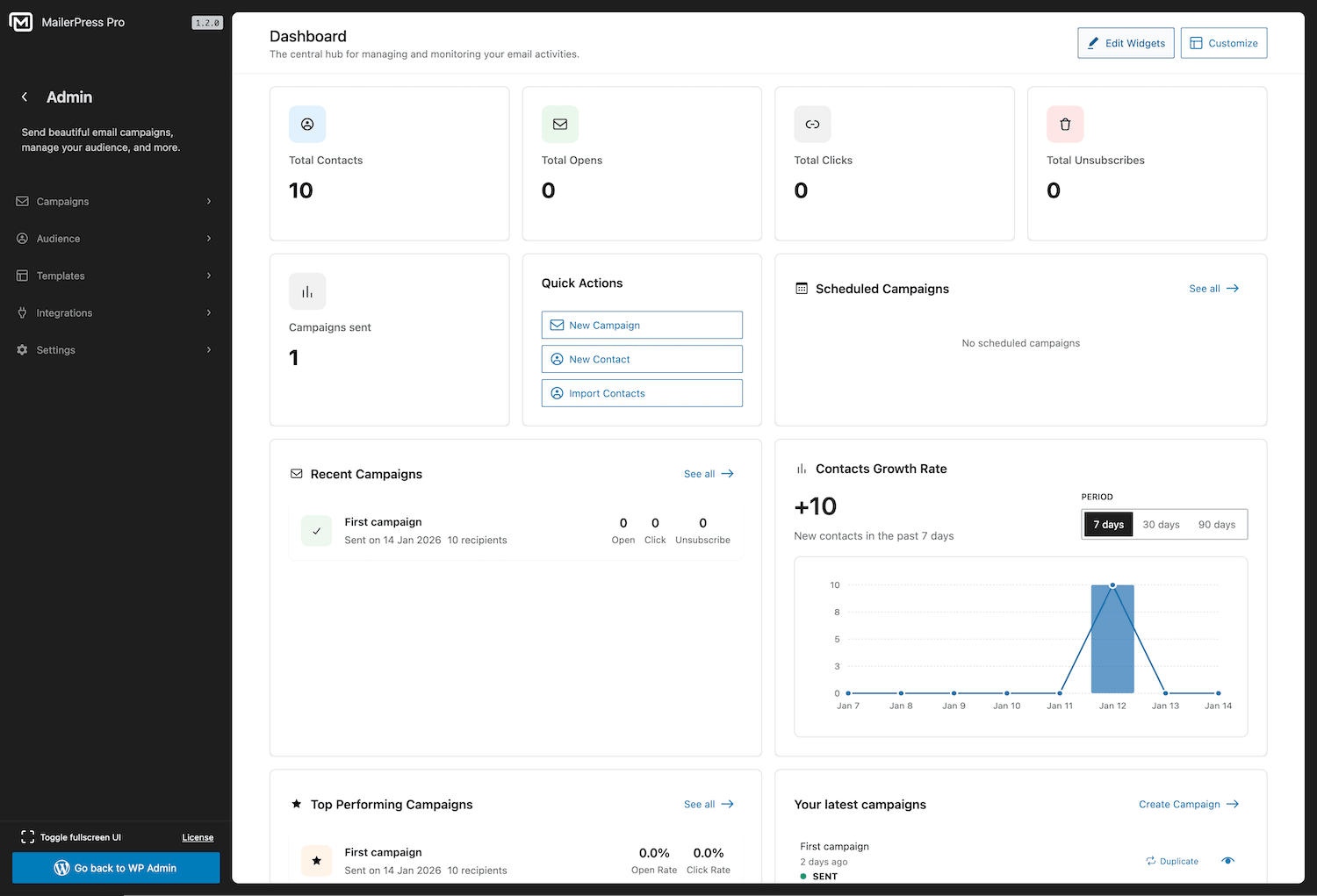
- Detaillierte Kampagnenanalysen und Leistungsberichte
E-Mail-Automatisierung
Automatisieren Sie Ihr E-Mail-Marketing, um Zeit zu sparen und die Kundenbindung zu stärken:
- Automatische E-Mail-Benachrichtigungen, wenn Sie neue Inhalte veröffentlichen
- Geplante E-Mail-Kampagnen mit präzisem Zeitplan
- Automatische Folge-E-Mails für die Double-Opt-in-Bestätigung (kostenpflichtiger Tarif erforderlich)
- Leistungsstarke Automatisierungsabläufe mit Auslösern und Bedingungen (kostenpflichtige Version erforderlich)
Unterstützte WordPress-Plugin-Integrationen
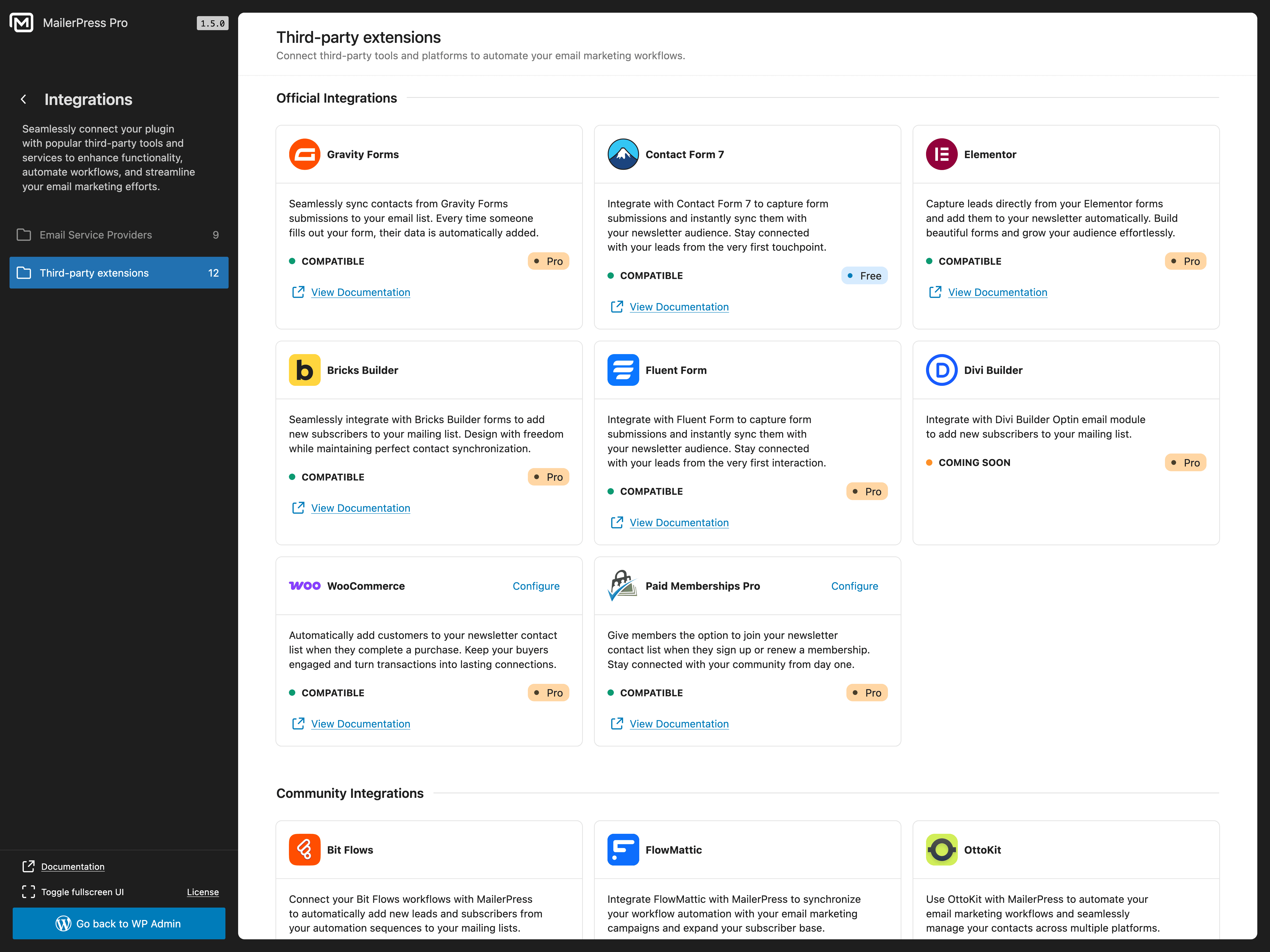
Verbinden Sie MailerPress mit beliebten Plugins für Formulare, Page Builders, E-Commerce, Mitgliedersysteme und Automatisierung:
Entdecken Sie alle verfügbaren Integrationen: https://mailerpress.com/integrations/
- Contact Form 7 (kostenlos) – Formularfelder, Listen, Schlagwörter, individuelle Felder und Double-Opt-in-Einstellungen zuordnen, um Abonnenten hinzuzufügen
- Gravity Forms (kostenpflichtige Version erforderlich) — Formularübermittlungen zu MailerPress-Listen hinzufügen mit Feldzuordnung
- Fluent Forms (kostenpflichtige Version erforderlich) — Formularübermittlungen erfassen und Abonnentendaten synchronisieren
- Elementor (kostenpflichtige Version erforderlich) — Nutzen Sie das MailerPress-Widget und die Formularaktion von Elementor Pro
- Bricks Builder (kostenpflichtige Version erforderlich) — Erstellen Sie Anmeldeformulare mit dem nativen MailerPress-Element
- Divi Builder (kostenpflichtige Version erforderlich) — Verbinden Sie das Divi-E-Mail-Opt-in-Modul mit MailerPress
- WooCommerce (kostenpflichtige Version erforderlich) – Erfassen Sie Anmeldungen beim Bezahlvorgang, verwalten Sie die Einstellungen Ihrer Abonnenten und passen Sie Transaktions-E-Mails individuell an
- Paid Memberships Pro (kostenpflichtige Version erforderlich) – Sammeln Sie Newsletter-Anmeldungen an der Kasse und zeigen Sie die Abonnement-Einstellungen in den Mitgliederkonten an
- Advanced Custom Fields / ACF (kostenpflichtige Version erforderlich) — ACF-Inhalte in Query-Blöcken und Kampagneninhalten verwenden
- WordPress-Benutzer (kostenpflichtige Version erforderlich) — WordPress-Benutzerkonten mit MailerPress-Kontakten synchronisieren
Es sind auch Integrationen für die Drittanbieter- Automatisierungen Bit Flows, FlowMattic, OttoKit und SureForms verfügbar. Diese Integrationen werden von den jeweiligen Plugin-Autoren gepflegt, und die Verfügbarkeit der Funktionen kann von deren Plänen abhängen.
WooCommerce-E-Mail-Marketing (kostenpflichtige Version erforderlich)
Verwandeln Sie Ihren WooCommerce-Shop in eine E-Mail-Marketing-Maschine:
- Gestalten Sie individuelle WooCommerce-Transaktions-E-Mails mit dem Drag-and-Drop-Editor
- Überschreiben Sie die Standard-E-Mails von WooCommerce für Bestellbestätigungen, Versand und Kontoinformationen
- Versenden Sie Werbe-E-Mail-Kampagnen an Ihre Kunden
- Rufen Sie WooCommerce-Produktinhalte direkt in Ihrem Newslettern ab
- Segmentieren Sie Abonnenten aufgrund ihres Kaufverhaltens
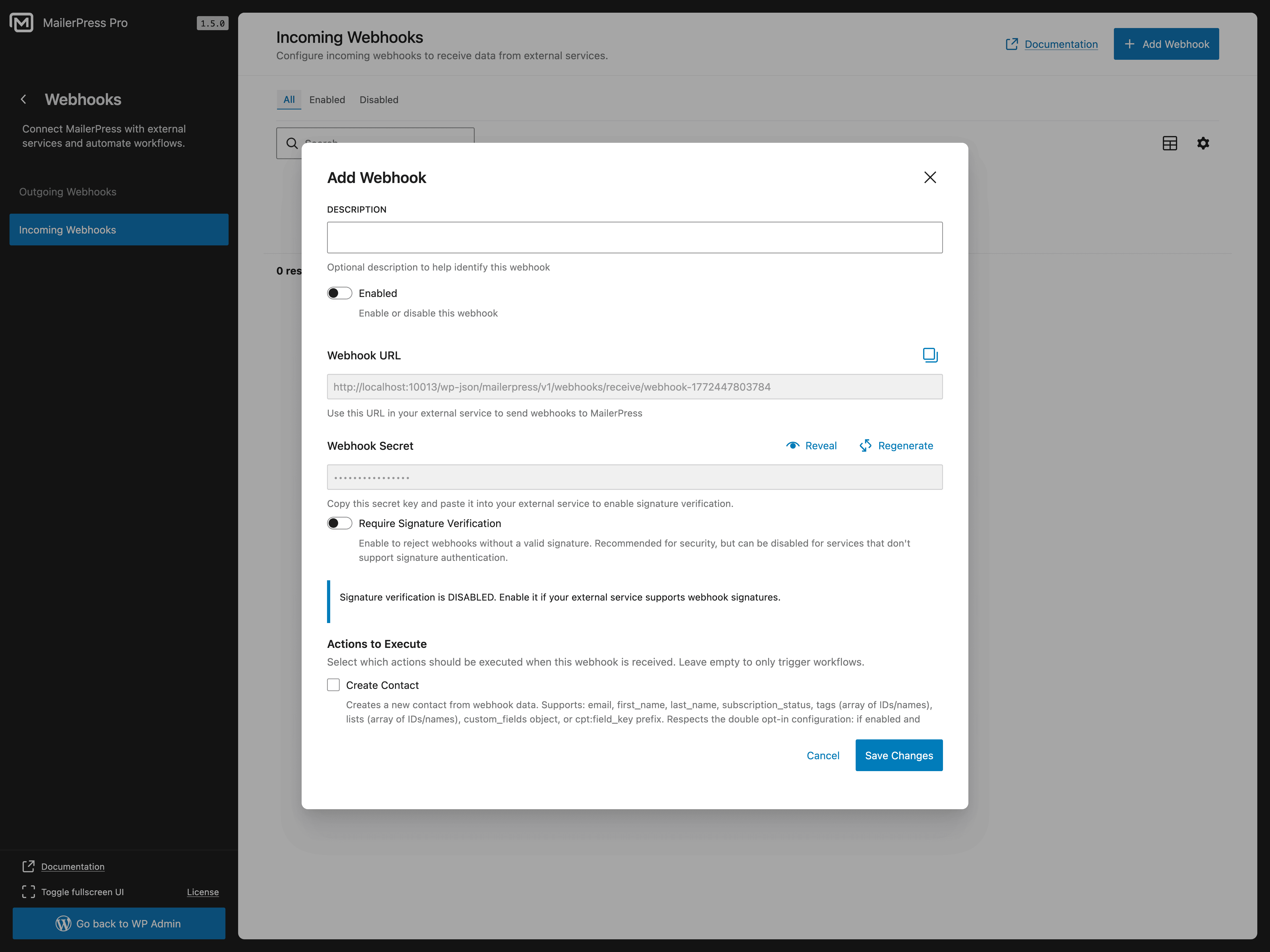
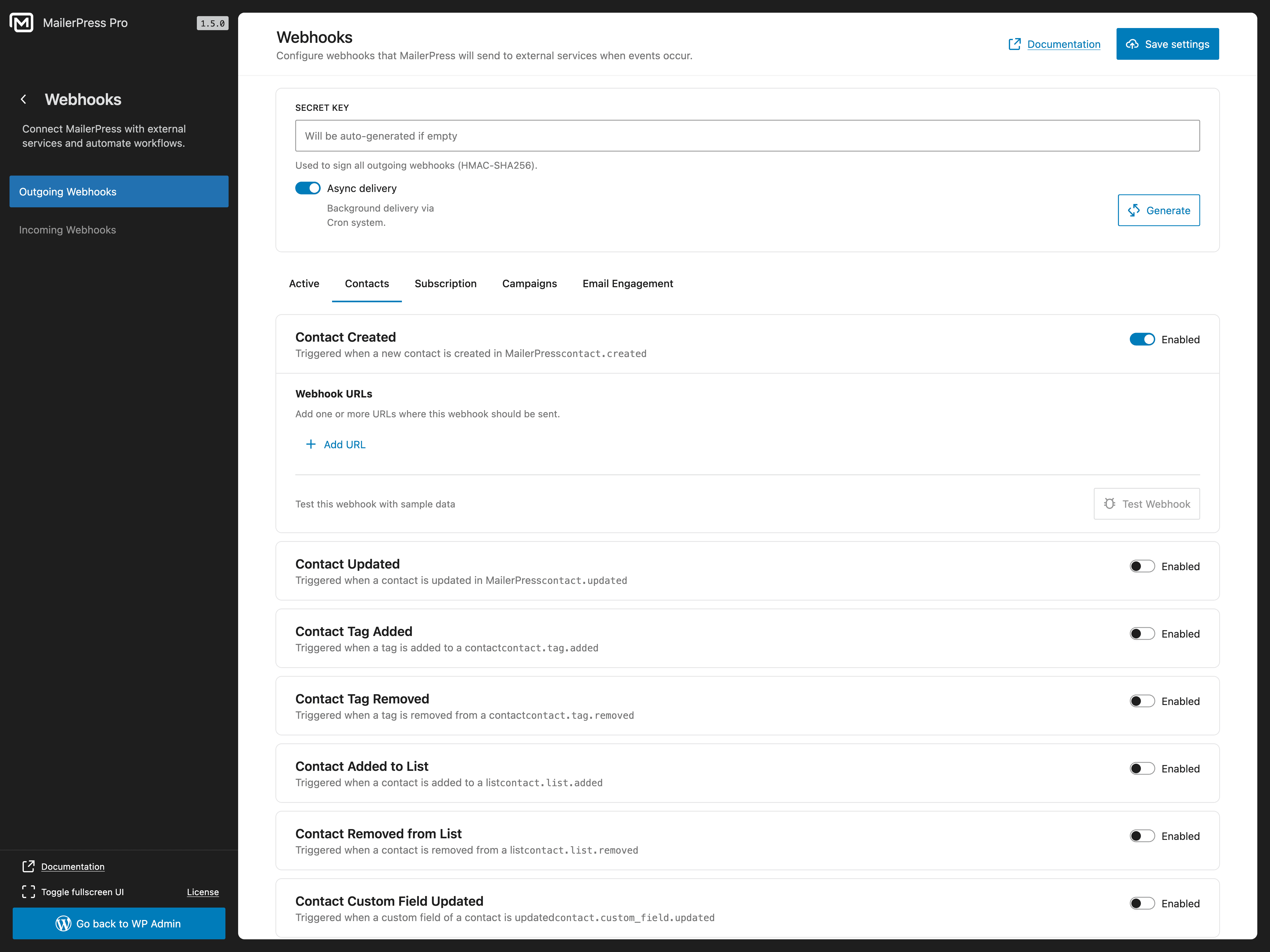
Eingehende und ausgehende Webhooks (kostenpflichtige Version erforderlich)
Verbinden Sie MailerPress mit einem beliebigen externen System:
- Eingehende Webhooks zum Hinzufügen von Abonnenten über externe Plattformen
- Ausgehende Webhooks zum Senden von Echtzeit-Ereignissen an Dienste von Drittanbietern
- Erstellen Sie individuelle Integrationen mit Ihren bestehenden Tools
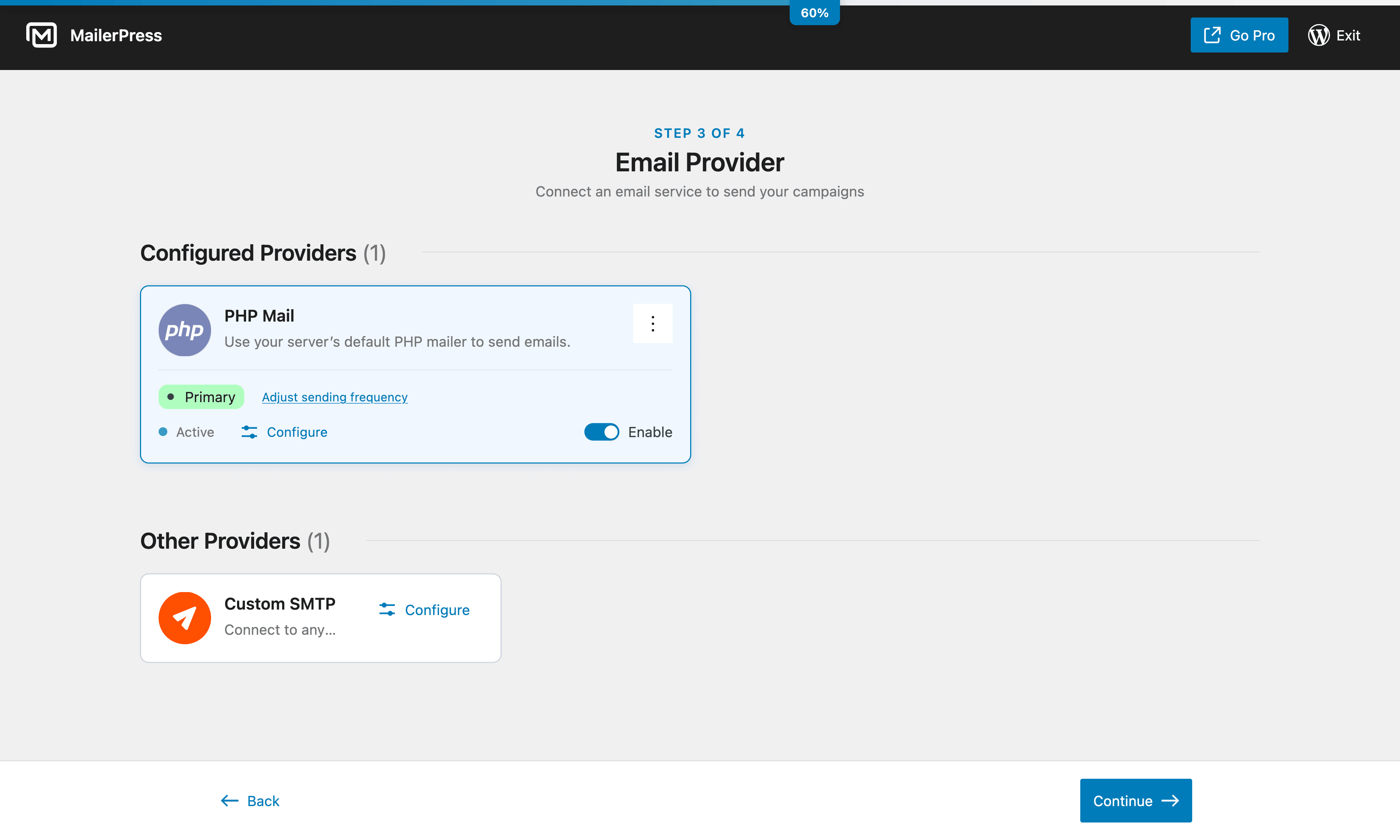
Optionen für den E-Mail-Versand
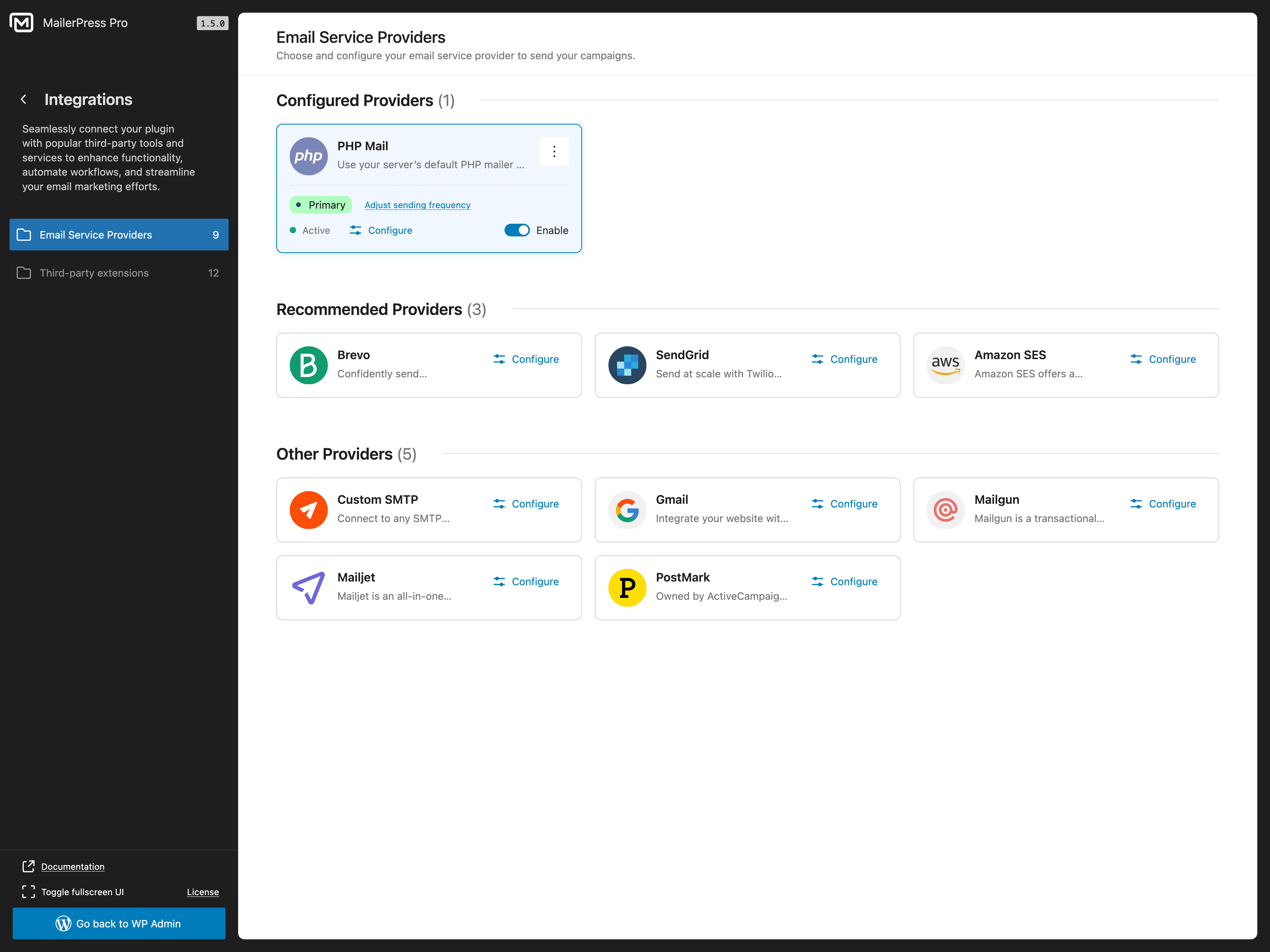
Versenden Sie E-Mails mit Ihrer bevorzugten Methode:
- PHP Mail (Standard – funktioniert ohne Einrichtung)
- Individuelle SMTP-Konfiguration
- Brevo-/Sendinblue-Integration (kostenpflichtige Version erforderlich)
- SendGrid-Integration (kostenpflichtige Version erforderlich)
- Integration von Gmail / Google Workspace (kostenpflichtige Version erforderlich)
- Mailgun-Integration (kostenpflichtige Version erforderlich)
- Mailjet-Integration (kostenpflichtige Version erforderlich)
- Postmark-Integration (kostenpflichtige Version erforderlich)
- Amazon SES-Integration (kostenpflichtige Version erforderlich)
- Integration von Emailit (kostenpflichtige Version erforderlich)
- Integration von SMTP2GO (kostenpflichtige Version erforderlich)
- Integration von Resend (kostenpflichtige Version erforderlich)
- Verwaltung von Bounce-Meldungen über die APIs von E-Mail-Diensten (kostenpflichtige Version erforderlich)
Alle Funktionen der kostenlosen Version
- E-Mail-Editor mit Drag-and-Drop-Funktion, inspiriert vom WordPress-Block-Editor
- Unbegrenzte Anzahl von Abonnenten, Listen, Schlagwörtern und Kampagnen
- Erstellung und Planung von E-Mail-Newslettern
- Anpassbare Anmeldeformulare (Shortcode + Gutenberg-Block)
- Double-Opt-in mit Bestätigungs-E-Mails
- CSV-Import/Export für die Migration von Abonnenten
- Abonnenten-Segmentierung
- Integration von Contact Form 7
- Auswertung von E-Mail-Kampagnen
- Abruf von Beitrags- und Seiteninhalten für Newsletters
- Nachverfolgung von Klicks und Öffnungen (mit Option zur Anonymisierung)
- Merge-Tags zur Personalisierung von E-Mails
- Import von MJML-Templates
- Google Fonts mit lokalem Hosting
- DSGVO-konform mit integrierter Abmeldefunktion
- Selbst gehostet – Ihre Daten bleiben auf Ihrem Server
- Vollständige Unterstützung für theme.json und Full Site Editing (FSE)
- Hunderte von Hooks und Filtern für Entwickler
- REST-API für individuelle Integrationen
Funktionen der kostenpflichtigen Version
Wechsen Sie zu MailerPress, um erweiterte E-Mail-Marketing-Funktionen zu nutzen:
- Anpassung von WooCommerce-E-Mails – Gestalten Sie Transaktions-E-Mails (Bestellbestätigung, Versandbenachrichtigung, Konto-E-Mails) mit dem Drag-and-Drop-Editor
- Professioneller E-Mail-Versand — Brevo, SendGrid, Gmail / Google Workspace, Mailgun, Mailjet, Postmark, Amazon SES, Emailit, SMTP2GO, Resend
- KI-gestützte E-Mail-Inhalte – OpenAI, Claude von Anthropic, DeepSeek, Mistral und Google Gemini für die Optimierung von Inhalten und die Erstellung von Bildern
- Leistungsstarke Formularintegrationen — Gravity Forms und Fluent Forms
- Integrationen mit Page Builders — Elementor, Bricks Builder und Divi Builder
- Integration von E-Commerce und Mitgliedersystemen — WooCommerce und Paid Memberships Pro
- Synchronisierung von WordPress-Benutzern – Verknüpfen Sie WordPress-Benutzerkonten mit MailerPress-Kontakten
- Integration von Advanced Custom Fields – ACF-Inhalte in Query-Blöcken und Kampagnen verwenden
- Eingehende und ausgehende Webhooks – Verbinden Sie MailerPress mit externen Apps und Automatisierungsplattformen
- Erweiterte Automatisierungs-Workflows – Auslöser, Bedingungen und verhaltensbasiertes Targeting
- Individuelle Felder und erweiterte Segmente — Abonnenten aufgrund ihres Verhaltens und ihrer Daten ansprechen
- Hochwertige E-Mail-Vorlagen – professionelle Designs, sofort einsatzbereit
- Opt-in-Formulare auf externen Websites einbinden – erweitern Sie Ihre Liste über WordPress hinaus
- Bounce-Management — automatische Verarbeitung über die APIs des E-Mail-Dienstes
- Automatisierte Nachfass-E-Mails beim Double-Opt-in — noch nicht bestätigte Abonnenten reaktivieren
- White-Label-Optionen — MailerPress-Branding anpassen
- Vorzugs-Support — dedizierter Kundendienst
Entwicklerfreundlich
MailerPress wurde für Entwickler entwickelt, die volle Kontrolle benötigen:
- Hunderte von Hooks und Filtern – passen Sie jeden Aspekt des Plugins individuell an
- REST-API – erstellen Sie individuelle Integrationen und Anwendungen
- MJML-Unterstützung – verwenden Sie MJML-Templates für fortschrittliches E-Mail-Design
- React-basierte Architektur – modern, erweiterbar und leistungsstark
Datenschutz & DSGVO
MailerPress ist vollständig DSGVO-konform und legt grössten Wert auf Datenschutz. Wir sammeln keinerlei Daten – alles bleibt auf Ihrem Server. Integrierte Abmeldelinks, Double-Opt-in und Werkzeuge für den Datenexport helfen Ihnen dabei, die Vorschriften einzuhalten. Wenn Sie E-Mail-Dienste von Drittanbietern nutzen, prüfen Sie bitte deren jeweilige Datenschutzerklärung.
Übersetzungen
MailerPress ist auf Englisch, Französisch, Spanisch, Niederländisch und Arabisch verfügbar. Helfen Sie mit, MailerPress in Ihre Sprache zu übersetzen.
Vom gleichen Team
Screenshots

Blocks
This plugin provides 4 blocks.
- Form Input
- Campaign Archive Display a list of sent email campaigns
- Form submit
- Subscription Form
Installation
- Laden Sie die Plugin-Dateien in das Verzeichnis
/wp-content/plugins/mailerpresshoch oder installieren Sie das Plugin direkt im Plugin-Bereich in WordPress. - Aktiveren Sie das Plugin unter «Plugins» in WordPress
- Gehen Sie zum MailerPress-Bildschirm in Ihrem WordPress-Adminbereich, um loszulegen.
FAQ
-
Ist MailerPress wirklich kostenlos?
-
Ja! MailerPress ist komplett kostenlos und bietet eine unbegrenzte Anzahl von Abonnenten, Verteilerlisten, Schlagwörtern und E-Mail-Kampagnen. Es gibt keine versteckten Einschränkungen. Für erweiterte Integrationen, KI-Funktionen und fortgeschrittene Automatisierung gibt es eine kostenpflichtige Version.
-
Rufen Sie MailerPress in Ihrem WordPress-Adminbereich auf, klicken Sie auf «Kampagne erstellen», wählen Sie eine Vorlage aus oder beginnen Sie ganz von vorne, und gestalten Sie Ihren Newsletter mithilfe des Drag-and-Drop-Editors. Fügen Sie Ihre Abonnentenliste hinzu und versenden Sie den Newsletter oder planen Sie den Versand für später.
-
Kann ich meine Abonnenten aus einem anderen E-Mail-Marketing-Plugin importieren?
-
Ja. MailerPress unterstützt den CSV-Import, sodass Sie Abonnenten aus jedem E-Mail-Marketing-Tool (Mailchimp, MailPoet, Brevo, ConvertKit, ActiveCampaign usw.) exportieren und innerhalb von Sekunden in MailerPress importieren können.
-
Welche WordPress-Plugins lassen sich mit MailerPress integrieren?
-
MailerPress unterstützt Plugins für Formulare, Seitenerstellung, E-Commerce, Mitgliedschaften, Inhalte und Automatisierung. Die aktuelle Liste der Integrationen sowie Informationen zur Verfügbarkeit in der kostenlosen und kostenpflichtigen Version finden Sie im Abschnitt «Unterstützte WordPress-Plugin-Integrationen» weiter oben.
-
Funktioniert MailerPress mit WooCommerce?
-
Ja. Mit der kostenpflichtigen Version können Sie die Transaktions-E-Mails von WooCommerce (Bestellbestätigung, Versandbenachrichtigung usw.) mithilfe des Drag-and-Drop-Editors individuell anpassen, Werbekampagnen an Kunden versenden und Produktinhalte in deine Newsletter einbetten.
-
Wie füge ich ein Anmeldeformular für Abonnenten zu meiner Website hinzu?
-
MailerPress bietet einen Shortcode und einen Gutenberg-Block für Anmeldeformulare. Der Shortcode funktioniert mit jedem Theme und jedem Page-Builder (Elementor, Bricks, Divi usw.). Sie können Anmeldeformulare auch auf externen Websites einbetten (erfordert die kostenpflichtige Version).
-
Welche E-Mail-Versanddienste unterstützt MailerPress?
-
Die kostenlose Version unterstützt PHP Mail und individuelles SMTP. Die kostenpflichtige Version bietet zusätzlich Integrationen mit Brevo (Sendinblue), SendGrid, Gmail / Google Workspace, Mailgun, Mailjet, Postmark, Amazon SES, Emailit, SMTP2GO und Resend für einen professionellen E-Mail-Versand.
-
Kann ich mit MailerPress E-Mails automatisieren?
-
Ja. Sie können E-Mail-Kampagnen für den späteren Versand planen und automatische Benachrichtigungs-E-Mails für neue Beiträge einrichten. In der kostenpflichtigen Version sind auch erweiterte Automatisierungsabläufe mit Auslösern und Bedingungen verfügbar.
-
Ist MailerPress DSGVO-konform?
-
Ja. MailerPress wird selbst gehostet, erfasst keine externen Daten und verfügt über integrierte Abmelde-Links, ein Double-Opt-in-Verfahren sowie Werkzeuge zur Verwaltung der Abonnentendaten, um die vollständige Einhaltung der DSGVO zu gewährleisten.
-
Kann ich automatische E-Mail-Benachrichtigungen zu Beiträgen versenden?
-
Ja. MailerPress kann Ihren Abonnenten automatisch E-Mail-Benachrichtigungen senden, wenn Sie neue Blogbeiträge oder Seiten veröffentlichen.
-
Unterstützt MailerPress das Tracking von E-Mails?
-
Ja. MailerPress kann Klicks und Öffnungen für E-Mail-Kampagnen nachverfolgen. Sie können wählen, ob Sie die Nachverfolgung normal, anonym oder gar nicht durchführen möchten.
-
Wie erhalte ich Unterstützung?
-
Nutzer der kostenlosen Version: Supportforum auf WordPress.org.
Nutzer der kostenpflichtigen Version: Vorzugs-Support über das MailerPress-Kundenportal.
Reviews


Contributors & Developers
“MailerPress – E-Mail-Marketing, Newsletter, E-Mail-Automatisierung & WooCommerce-E-Mails” is open source software. The following people have contributed to this plugin.
Contributors


“MailerPress – E-Mail-Marketing, Newsletter, E-Mail-Automatisierung & WooCommerce-E-Mails” has been translated into 8 locales. Thank you to the translators for their contributions.
Interested in development?
Browse the code, check out the SVN repository, or subscribe to the development log by RSS.
Changelog
2.0.7
- NEU: Verleihen Sie Ihren MailerPress-Anmeldeseiten ein professionelles, markengerechtes Erscheinungsbild – dank vorgefertigter Layouts, individueller Farben, Logos, Schriftarten, Buttons und der sofortiger Vorschau für Desktop- oder Mobilgeräte von MailerPress Pro.
- VERBESSERUNG: Seiten mit den Abonnements-Einstellungen sind jetzt übersichtlicher und besser für Mobilgeräte optimiert – mit gut lesbaren Listenkarten und gut sichtbaren Angaben zum Abonnementsstatus.
- VERBESSERUNG: Finden Sie Kontakte schneller, indem Sie nach Namen, E-Mail-Adressen, Listen- und Schlagwortnamen, Opt-in-Quellen, Werten von individuellen Feldern oder Kontakt-IDs suchen.
- VERBESSERUNG: Der Social-Block unterstützt jetzt mehr Netzwerke, wiederverwendbare Profileinstellungen, verschiedene Symbolstile und -grössen, horizontale oder vertikale Layouts sowie eine einfachere Bearbeitung direkt auf der Arbeitsfläche.
- VERBESSERUNG: Erstellen Sie eine individuelle, gesetzeskonforme Fusszeile in MailerPress Pro: Die Standard-Fusszeile wird optional, sobald ein sichtbarer Link zur Abmeldung oder zur Abonnementsverwaltung vorhanden ist, und wird wieder zwingend, wenn dieser Link entfernt wird.
- KORREKTUR: Die Seiten zur Bestätigung des Abonnements und der Abmeldung werden nun über alle Layouts und Bildschirmgrössen hinweg einheitlicher angezeigt.
- KORREKTUR: Manuell ausgewählte Beiträge in Abfrageblöcken bleiben nun an ihrem Platz, wenn automatisierte Kampagnen für den Versand vorbereitet werden.
- KORREKTUR: Abfrageblöcke geben nun die erwarteten Beiträge zurück, ohne dass ihre Reihenfolge oder Auswahl durch die Sticky-Posts von WordPress verändert wird.
- KORREKTUR: Links mit Klick-Tracking funktionieren jetzt zuverlässiger mit WordPress-Permalink-Strukturen, die abschliessende Schrägstriche erfordern.
- KORREKTUR: Das Schreiben im E-Mail-Editor funktioniert jetzt zuverlässiger: Normale Schrägstriche bleiben erhalten, die Eingabetaste erstellt den nächsten Textblock korrekt und setzt den Fokus darauf, und die Interaktion mit Platzhaltern unterbricht die Bearbeitung nicht mehr.
- KORREKTUR: Beim Hinzufügen von Spalten und Layouts bleibt nun die gültige E-Mail-Struktur erhalten, ohne dass verschachtelte Spalten erstellt werden oder der umgebende Inhalt verloren geht.
- KORREKTUR: Beim Erstellen von Kampagnen aus benutzerdefinierten Vorlagen wird der Standard-Fussbereich nicht mehr hinzugefügt, wenn die Vorlage bereits einen gültigen Link zur Abmeldung oder zur Abonnementsverwaltung enthält.
2.0.6
- VERBESSERUNG: Erstellen Sie schneller ansprechendere E-Mails – dank direkter Bildgrössen-Anpassung im Editor, Live-Ziehpunkten, Sofortvorschau und layoutgerechten Begrenzungen, die dafür sorgen, dass Ihr Design sauber bleibt.
- VERBESSERUNG: Machen Sie aus Titeln und Abschnittsüberschriften klare Handlungsaufforderungen, indem Sie Links direkt über die Überschriften-Symbolleiste einfügen.
- VERBESSERUNG: Passen Sie Ihr E-Mail-Design mit Einstellungsmöglichkeiten für den Eckenradius pro Ecke bei Buttons, Abschnitten, Spalten, Hero-Blöcken und Bildern detailliert an.
- VERBESSERUNG: Das Verfassen und Bearbeiten von E-Mail-Inhalten fühlt sich jetzt natürlicher an – dank einer flüssigeren Textaufteilung und einer besseren Cursorplatzierung beim Drücken der Eingabetaste.
- KORREKTUR: Die Automatisierungen für abgebrochene Warenkörbe erfassen nun mehr Aktivitäten von Gastkunden beim Bezahlvorgang, sobald ein Kunde eine E-Mail-Adresse eingibt. So können Sie Warenkörbe zurückgewinnen, noch bevor ein Konto erstellt wurde.
- KORREKTUR: E-Mails zur Warenkorb-Wiederherstellung leiten Käufer nun zurück zur Kasse, wobei ihre gespeicherten Artikel wiederhergestellt werden. Dies gilt auch für ältere E-Mails, die noch den Standard-Button «Bestellung abschliessen» enthielten.
- KORREKTUR: Die Standardvorlage für die Erinnerung an einen verlassenen Warenkorb verwendet nun den speziellen Button zur Warenkorb-Wiederherstellung, und der Text des Buttons kann direkt in der E-Mail-Bearbeitungsansicht angepasst werden.
- KORREKTUR: Beim Erstellen einer E-Mail aus einer Vorlage innerhalb einer Automatisierung wird nun die kurze Warnung «Keine E-Mail-Vorlage zugewiesen» vermieden und die ausgewählte Vorlage wird zuverlässiger hinzugefügt.
- KORREKTUR: Der Import von Kontakten im Hintergrund läuft bei grösseren Dateien zuverlässiger, wodurch das Risiko sinkt, dass der Import abbricht, bevor alle Kontakte verarbeitet wurden.
- KORREKTUR: Tabellenblöcke lassen sich dank einer grösseren Bearbeitungsansicht leichter bearbeiten, und gängige Editor-Funktionen wie Einfügen, Rückgängig, Wiederherstellen und das Einfügen von Blöcken mit dem Schrägstrich verhalten sich jetzt beim Tippen natürlicher.
- KORREKTUR: Automatisierte Kampagnen halten die Absenderangaben nun auf dem neuesten Stand, wenn sich die Standard-Absendereinstellungen ändern.
- KORREKTUR: Die WooCommerce-Automatisierungssymbole im Workflow-Editor werden jetzt sauber angezeigt.
- KORREKTUR: Die Zuverlässigkeit des Editors wurde in folgenden Bereichen verbessert: Fusszeilenvorlagen, Einfügen von Vorlagen, Merge-Tag-Links, E-Mail-Darstellung und Textbearbeitung.
- KORREKTUR: Die Schriftartauswahl wird jetzt einheitlicher gespeichert, wenn HTML-E-Mails kodierte Schriftartnamen enthalten.
- SICHERHEIT: Zusätzliche Sicherheitsmassnahmen, um MailerPress sicherer und zuverlässiger zu machen.
2.0.5
- VERBESSERUNG: Reibungslosere Kontaktverwaltung bei Importen, APIs, Workflows und Webhooks.
- VERBESSERUNG: Bessere CSV-Importe mit klarerer Feldzuordnung und zuverlässigerer Verarbeitung grosser Dateien.
- VERBESSERUNG: Die Filterung in Abfrageblöcken lässt sich nun für fortgeschrittene Anwendungsfälle leichter mit Post Meta und ACF erweitern.
- VERBESSERUNG: Der Action Scheduler und die Chunk-Worker verbrauchen jetzt weniger Ressourcen und stoppen wiederkehrende Worker, wenn keine Chunks mehr übrig sind.
- KORREKTUR: Automatisierte Kampagnen behalten nun ihren Zeitplan bei, auch wenn sie deaktiviert, wiederhergestellt, in den Papierkorb verschoben oder gelöscht werden.
- SICHERHEIT: Zusätzliche Sicherheitsmassnahmen, um MailerPress sicherer und zuverlässiger zu machen.
2.0.4
- VERBESSERUNG: Zuverlässigere Nachverfolgung von Öffnungen, mit schnelleren Pixelreaktionen und verbesserter Genauigkeit bei allen E-Mail-Clients.
- VERBESSERUNG: Intelligentere Sendefunktion, welche die Serverauslastung reduziert, indem Worker nur dann ausgeführt werden, wenn E-Mails zum Versenden anstehen.
- VERBESSERUNG: Schnelleres und reibungsloseres Versenden von Batches bei grösseren Kampagnen, wodurch Newsletter mit vielen Empfängern effizienter durch die Warteschlange laufen.
- KORREKTUR: E-Mail-Vorlagen für Automatisierungen lassen sich nun zuverlässiger auf Websites öffnen, auf denen Plugins von Drittanbietern während der Kampagnenerstellung Datenbankzugriffe ausführen.
- KORREKTUR: Die Gmail-Verbindung während der OAuth-Einrichtung funktioniert jetzt reibungsloser und zuverlässiger.
- KORREKTUR: Gmail-Konten bleiben nun nach der ersten Autorisierung korrekt verbunden, anstatt sofort als abgelaufen angezeigt zu werden.
- KORREKTUR: E-Mails zum Export von Kontakten werden nun korrekt versendet, da sichergestellt wurde, dass die Callbacks des Export-Action-Schedulers registriert sind.
- KORREKTUR: Der Link «Im Browser anzeigen» bleibt nun auch nach der Bearbeitung von Textblöcken an Ort und Stelle.
- SICHERHEIT: Zusätzliche Sicherheitsmassnahmen, um MailerPress sicherer und zuverlässiger zu machen.
2.0.3
- NEU: Neuer Produktbewertungs-Block für E-Mails mit Bewertungsanfragen nach dem Kauf mit dynamischen Produktkarten und «Bewerten»-Buttons.
- VERBESSERUNG: Neue ESP-Sendekonfigurationen für mehr Flexibilität und Kompatibilität.
- VERBESSERUNG: Es wurden weitere Steuerelemente für Abstände und Innenabstände im Block «Beitragsinhalt» hinzugefügt.
- VERBESSERUNG: Verbesserte Navigation im Workflow-Editor mit einer klareren «Zurück zur Automatisierung»-Funktion.
- KORREKTUR: Workflows werden nun nach der Bestätigung des Double-Opt-in korrekt neu geprüft.
- KORREKTUR: Das Problem, dass die Bedingungen im MailerPress-Workflow nicht korrekt ausgewertet wurden, wurde behoben.
- KORREKTUR: Die falschen Filterergebnisse der Kontakt-API für bestimmte Felder wurden korrigiert.
- KORREKTUR: Unstimmigkeiten bei der Zeitzone und der Anzeige des Countdown-Blocks behoben.
- KORREKTUR: Das Problem, dass Kampagnenrevisionen in manchen Fällen nicht richtig geladen wurden, wurde behoben.
- KORREKTUR: Probleme mit dem Layout und der Gestaltung der Seite «Abonnement verwalten» behoben.
- KORREKTUR: Das Problem wurde behoben, dass ESP-Bounce-Webhook-Handler bei unbekannten E-Mail-Adressen HTTP-500-Fehler zurückgeben. Dadurch werden endlose Wiederholungsversuche bei Diensten wie SMTP2GO, Mailgun und Brevo verhindert.
- KORREKTUR: Raw-HTML-Kampagnen erzwingen nun Links zur Abmeldung und zur Abonnementsverwaltung, um die DSGVO-Konformität zu gewährleisten, einschliesslich Warnhinweisen und Hilfsfunktionen zum schnellen Einfügen.
- SICHERHEIT: Eine Sicherheitslücke in der Workflow-REST-API, die eine Rechteausweitung ermöglichte, wurde behoben.
- SICHERHEIT: Die Aktion «WordPress-Benutzer erstellen» kann nun nicht mehr die Administratorrolle zuweisen.
2.0.2
- KORREKTUR: Ein Fehler wurde behoben, der dazu geführt hatte, dass beim Einfügen von Spalten im Editor zuvor hinzugefügte Inhalte gelöscht wurden.
- KORREKTUR: Ein schwerwiegender Fehler, der unter bestimmten Bedingungen im Workflow-System auftrat, wurde behoben.
- KORREKTUR: Die fehlerhaften Berechnungen im Widget «Beste Öffnungszeiten» wurden korrigiert.
- KORREKTUR: Ein Problem wurde behoben, aufgrund dessen bei der Bestätigung eines Abonnements über eine benutzerdefinierte URL eine leere Seite angezeigt wurde.
- KORREKTUR: Ein Problem wurde behoben, das dazu geführt hatte, dass die öffentliche URL unerwünschten HTML-Code anzeigte.
- VERBESSERUNG: Sie können Ihre Kontaktliste jetzt mithilfe der neuen Segmentfilter filtern.
- VERBESSERUNG: Die Synchronisierung von WordPress-Benutzern lädt nun alle Rollen direkt von der Einstellungsseite.
- VERBESSERUNG: Bessere Unterstützung des Query-Blocks für Post-Meta-Daten mit verbesserter Anzeige des Datumsformats.
2.0.1
- KORREKTUR: Ein Problem beim Zugriff auf das Dashboard, das bei einigen Nutzern zu einem Fehler und einem schwarzen Bildschirm führte.
- KORREKTUR: Der Gutenberg-Block mit dem MailerPress-Opt-in-Formular gab einen Fehler 401 («Unauthorized») zurück, wenn er in einem FSE-Template verwendet wurde.
2.0 Lesen Sie den Blogartikel zum Update
- NEU: Erweitertes Automatisierungssystem [Beta] – Erstellen Sie komplexe E-Mail-Workflows mit einem visuellen Automatisierungs-Builder, einschliesslich triggerbasierter Kampagnen, bedingter Logik und mehrstufiger Workflows, um Ihren gesamten E-Mail-Marketing-Funnel zu automatisieren.
- NEU: Mehrere E-Mail-Editoren – Wählen Sie bei der Erstellung von Kampagnen aus drei leistungsstarken Editoren: dem visuellen Editor (Drag-and-Drop-Builder mit Blöcken und Vorlagen) und dem Raw-HTML-Editor (HTML-Code für vorgefertigte Vorlagen einfügen oder direkt schreiben).
- NEU: Anpassung von WordPress-E-Mails – Passen Sie alle System-E-Mails im MailerPress-Editor mit Ihren markenspezifischen E-Mail-Vorlagen an, einschliesslich Willkommens-E-Mails für neue Nutzer, Passwort-Zurücksetzungen, Benachrichtigungen zu Kommentaren, Administrator-Benachrichtigungen und Benachrichtigungen bei automatischen Updates. Ersetzen Sie die Standard-E-Mails von WordPress durch professionelle Designs.
- NEU: Anpassung von WooCommerce-E-Mails – Passen Sie WooCommerce-Transaktions-E-Mails vollständig an, einschliesslich Auftragsbestätigungen, Kundenrechnungen, Versandbenachrichtigungen, Warnmeldungen bei niedrigem Lagerbestand etc. Nutzen Sie dafür dynamische Platzhalter für Produktdetails und Bestellinformationen im MailerPress-E-Mail-Editor.
- NEU: Drei neue E-Mail-Dienste – Unterstützung von Resend, EmailIt und SMTP2GO, um deine Versandoptionen mit zuverlässigen und skalierbaren E-Mail-Zustelldiensten zu erweitern. Jeder dieser Anbieter bietet Bounce-Tracking und Webhook-Unterstützung.
- NEU: WordPress-Standard-ESP – Nutzen Sie die native WordPress-Funktion wp_mail() zum Versenden von E-Mails. Diese ist vollständig kompatibel mit allen gängigen SMTP-Plugins von Drittanbietern (WP Mail SMTP, Brevo, Mailgun usw.) und ermöglicht so eine nahtlose Integration in Ihre bestehende WordPress-E-Mail-Infrastruktur.
- NEU: Integration mit Divi Builder – Native Integration mit dem Opt-in-E-Mail-Modul des Divi Builder, was eine nahtlose Erfassung von Abonnenten direkt aus den Divi-E-Mail-Modulen heraus ermöglicht, einschliesslich automatischer Zuordnung zu Listen und Schlagwörtern.
- NEU: Benachrichtigungszentrum – Intelligentes Benachrichtigungssystem, das automatisch die Website-Konfiguration überprüft und kontextbezogene Warnmeldungen zu Problemen (WP-Cron deaktiviert, fehlende Einrichtungsschritte) sowie zu Produkt-Updates anzeigt. Benachrichtigungen können dauerhaft oder vorübergehend ausgeblendet werden.
- NEU: WordPress-Benutzer können jetzt direkt mit MailerPress synchronisiert werden.
- NEU: Sie können jetzt einige MailerPress-Einstellungen mithilfe der neuen wpml-config-Datei übersetzen.
- VERBESSERUNG: Der Query-Block unterstützt nun nebst ACF auch Post-Meta.
- VERBESSERUNG: Beim White Labeling können Sie jetzt bei Bedarf Premium-Vorlagen ausblenden.
- VERBESSERUNG: Verbesserte UX/UI des Modals «Überprüfen & Senden».
- VERBESSERUNG: Vorlagenerstellung – Erstellen und speichern Sie E-Mail-Vorlagen direkt, ohne vorher eine Kampagne anlegen zu müssen. Vorlagen können nun unabhängig verwaltet und in mehreren Kampagnen wiederverwendet werden.
- VERBESSERUNG: Verbesserte API-Schlüsselverwaltung für den Zugriff auf die öffentliche MailerPress-API mit detaillierten Berechtigungseinstellungen, sodass Sie den Zugriff auf bestimmte Ressourcen (Kontakte, Kampagnen, Listen usw.) einschränken und pro Schlüssel Ratenbegrenzungen sowie IP-Beschränkungen konfigurieren können.
- SICHERHEIT: Die Authentifizierung der REST-API wurde angepasst, um die Gültigkeitsbereiche der API-Schlüssel an allen geschützten Endpunkten durchzusetzen und so unbefugten Zugriff auf eingeschränkte Vorgänge zu verhindern.